Create Resume from Resume Builder
Follow these steps to create and download a resume using the built-in Resume Builder.
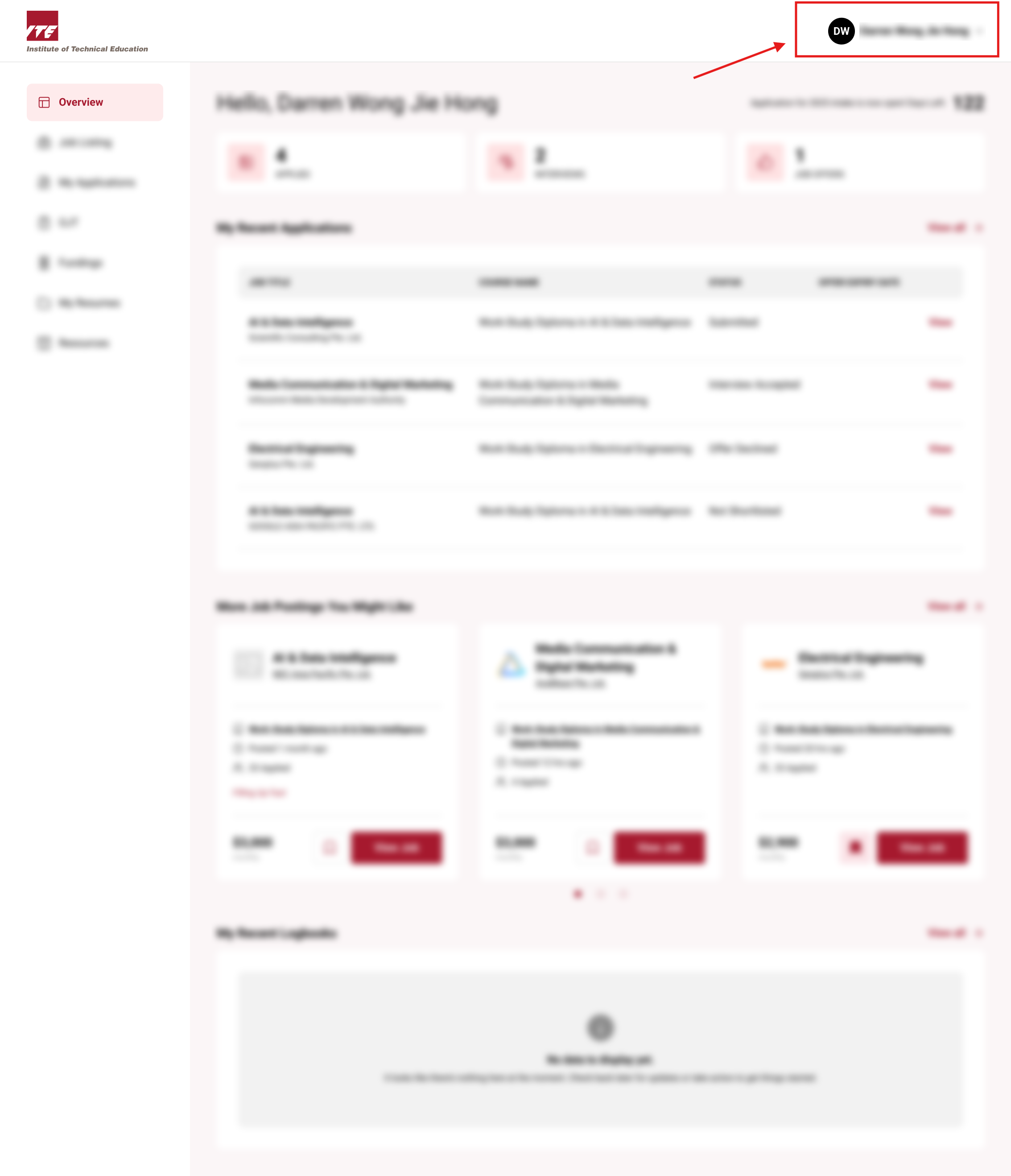
Step 1: Locate Resume Builder Button
Click on the Navbar user icon to open the drop-down menu.
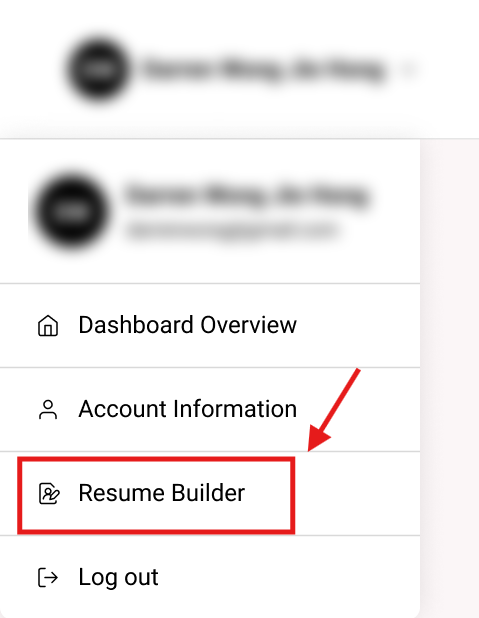
Step 2: Click on Resume Builder Button
Click on the "Resume Builder" button.
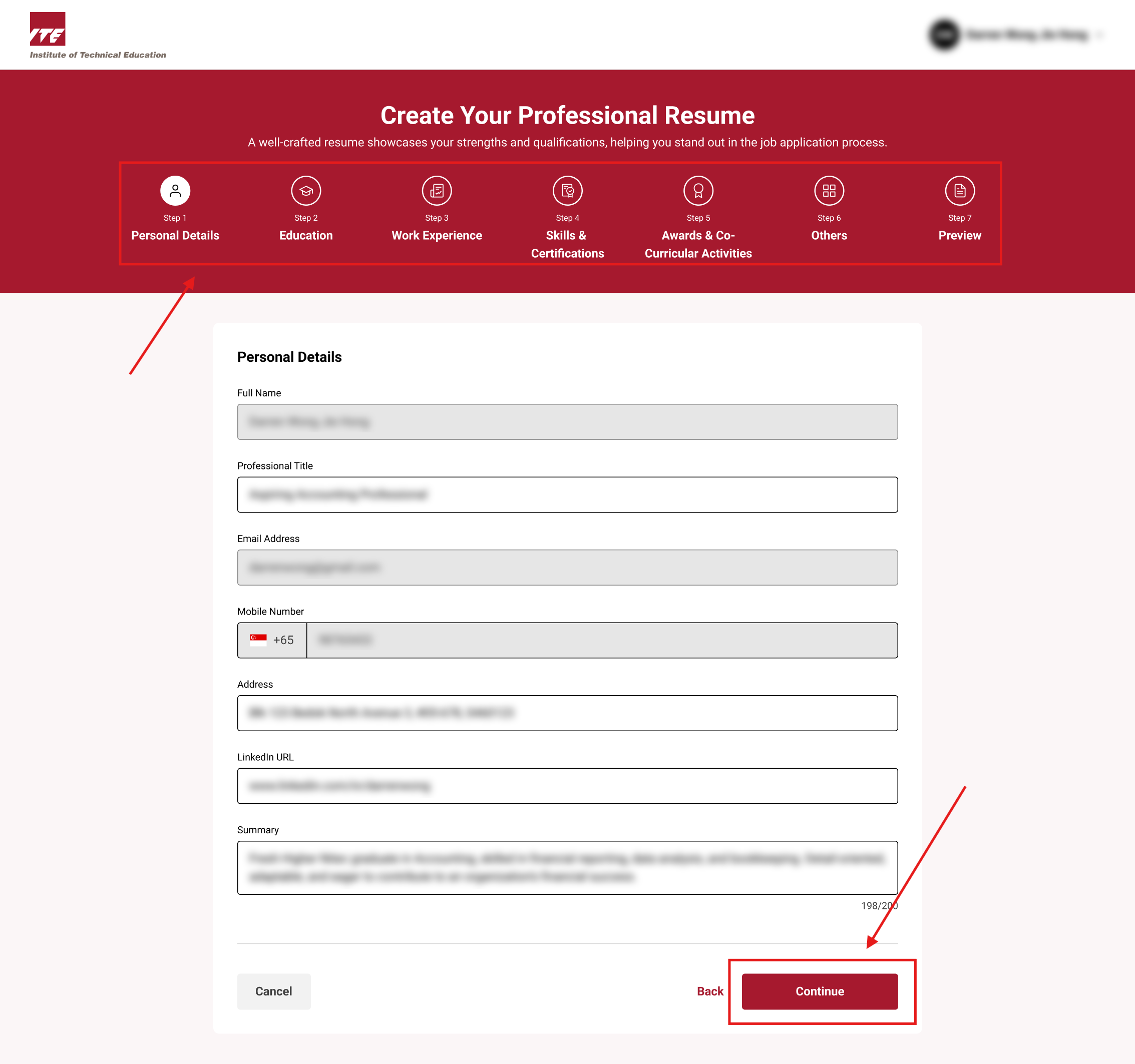
Step 3: Fill up Details for Resume
Tips
- Ensure all sections are filled accurately for the best resume quality.
- Choose the resume design that best fits your industry or style preference.
Fill in details for each field to better populate your resume. Click the "Continue" button to progress through the steps.
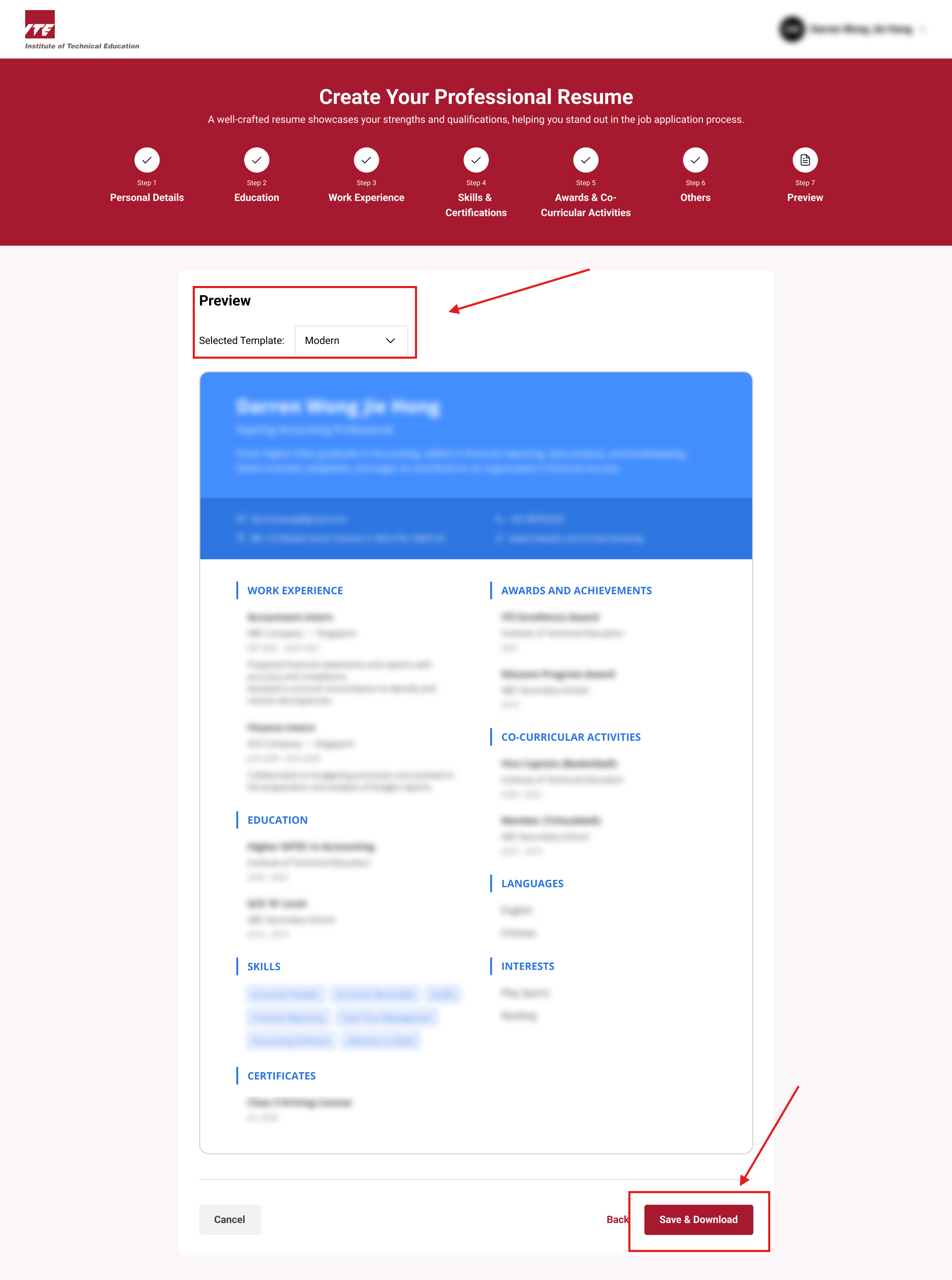
Step 4: Save and Download Resume
You may review and choose between 2 different resume designs. Click the "Save & Download" button to save and download your resume.