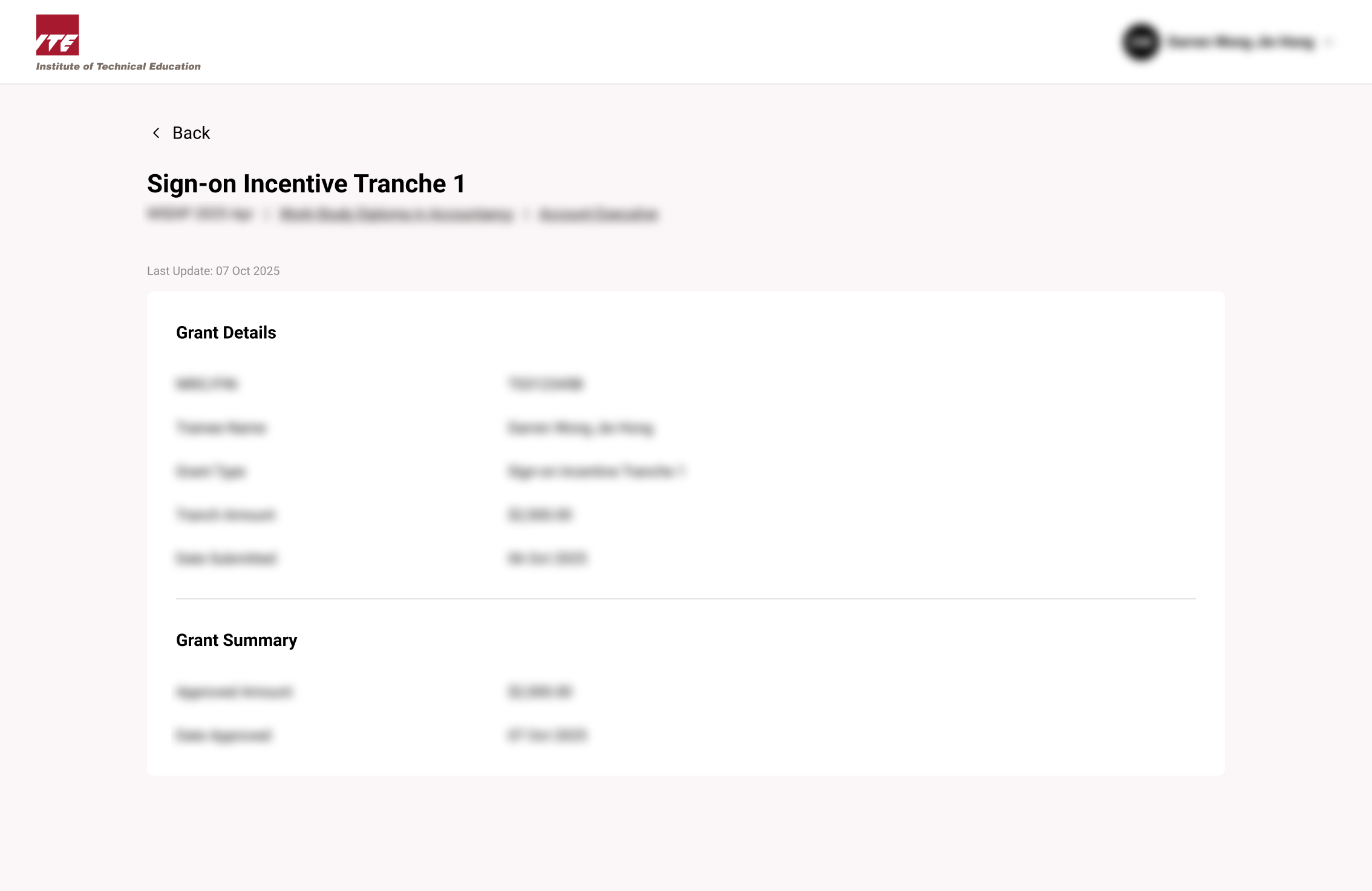
View Eligible Sign-on Incentive(SOI) Grant
Learn how to access and review eligible Sign-on Incentive grant details through the Funding tab, including viewing tranche information, payment schedules, and grant requirements.
Step 1. Locate Funding Funding Tab
Click on the "Funding" Tab at the Sidebar.
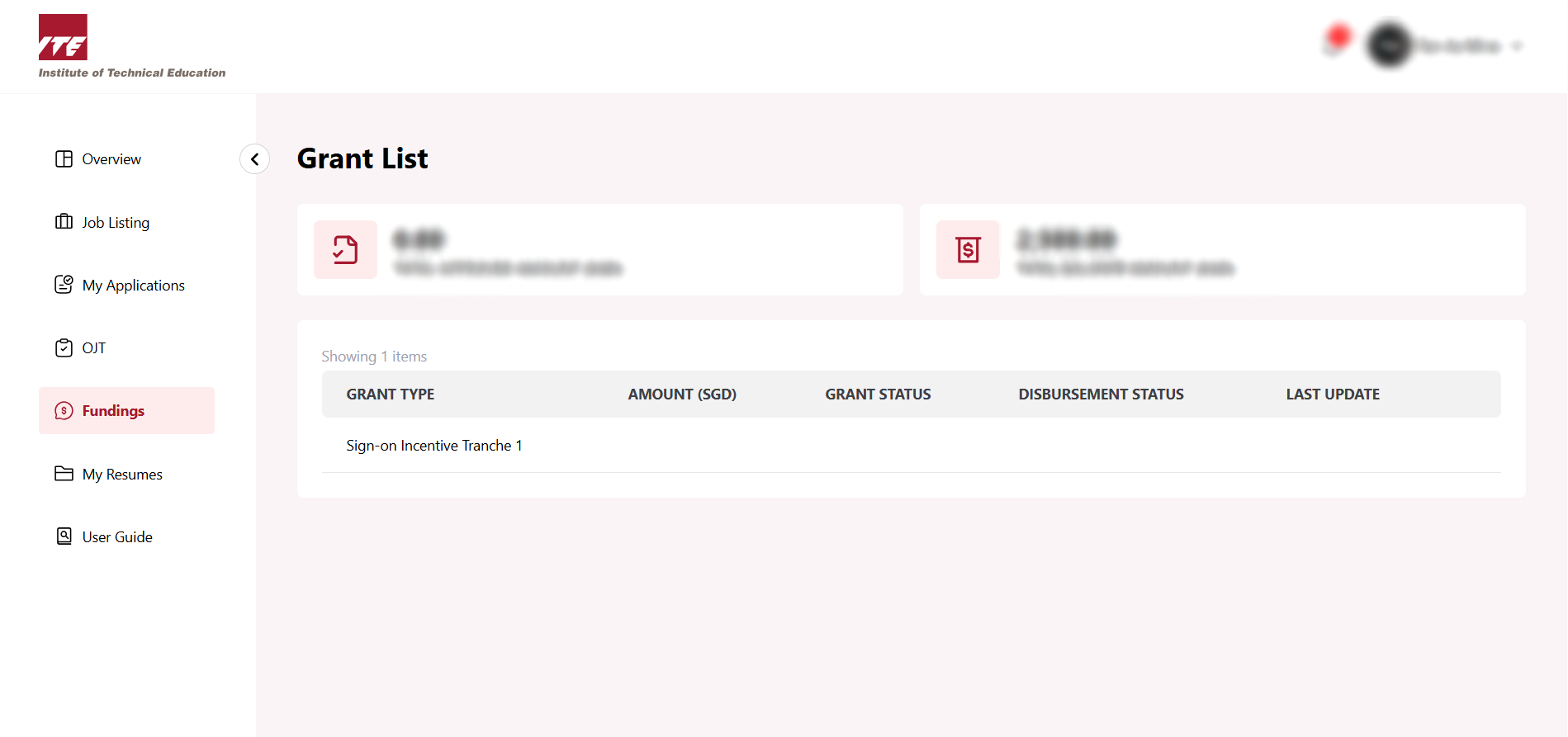
Step 2. Click on the View Link
Click on the "View" Link for any Sign-on Incentive Tranche.
What each grant status means

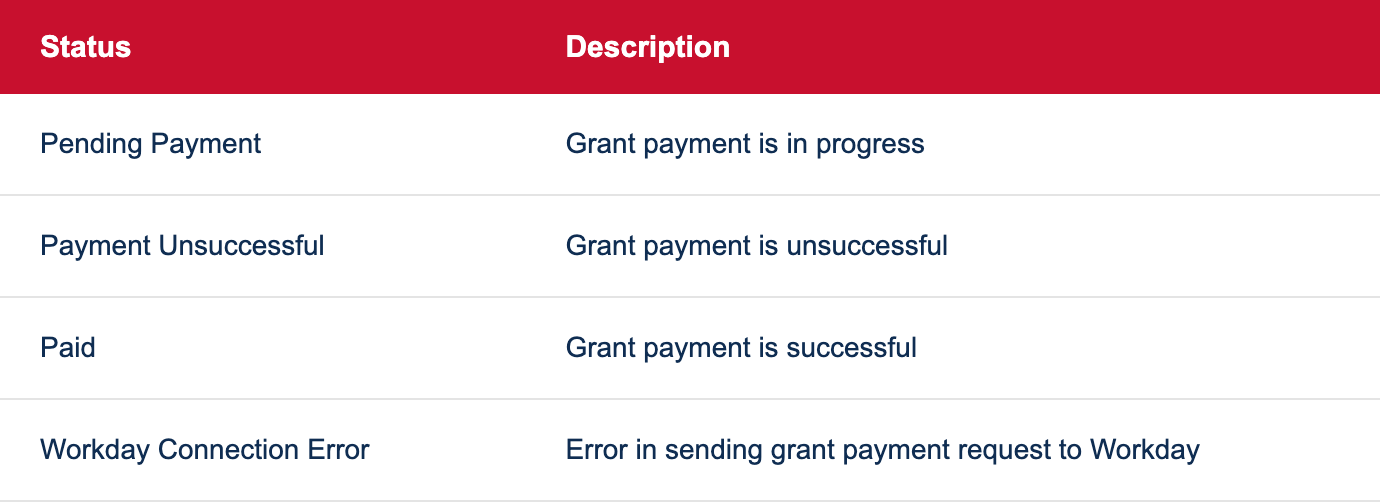
What each disbursement status means
You can now view the Tranche Details for the Sign-on Incentive