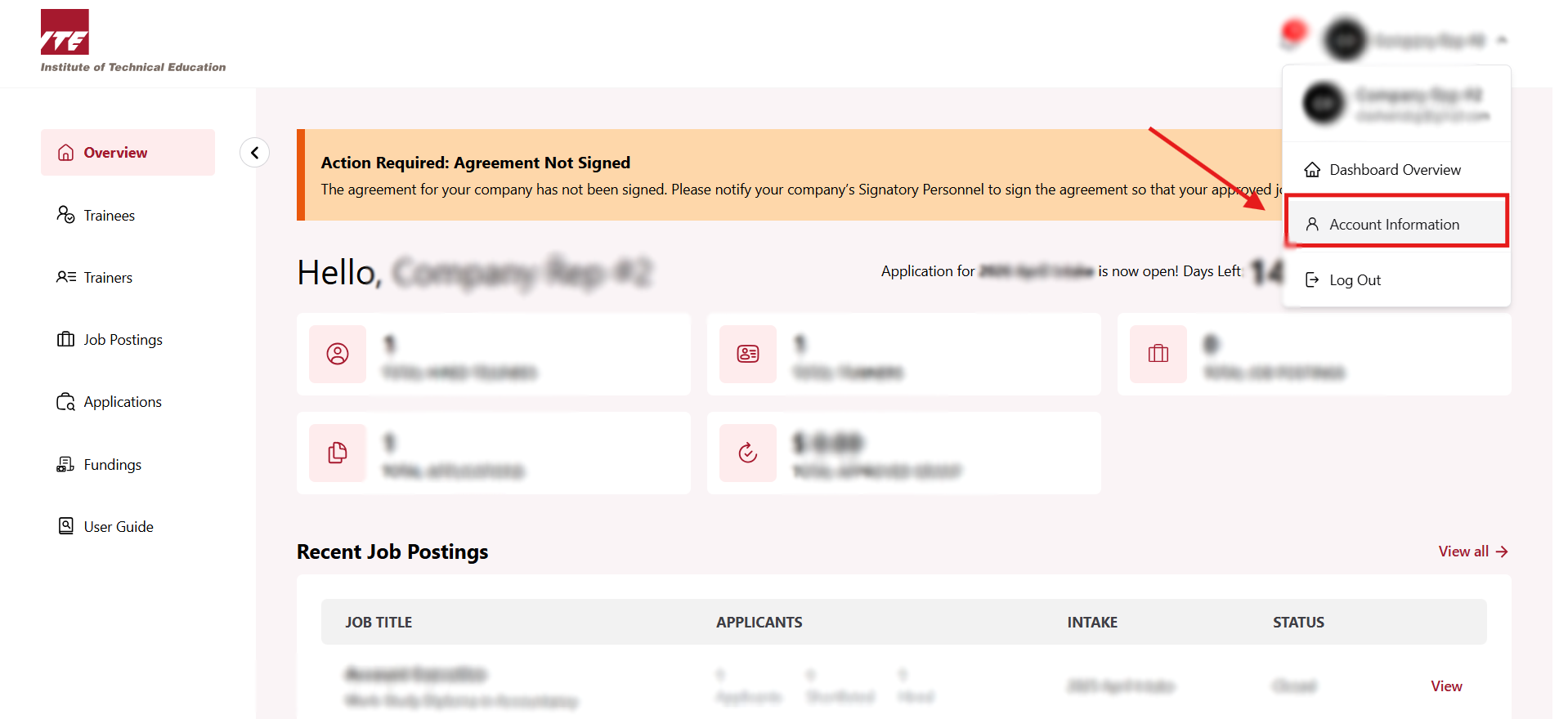
Step 1. Go to Company Dashboard
-
Click on the Navbar user icon to open the drop down menu.
-
Click Account Information.
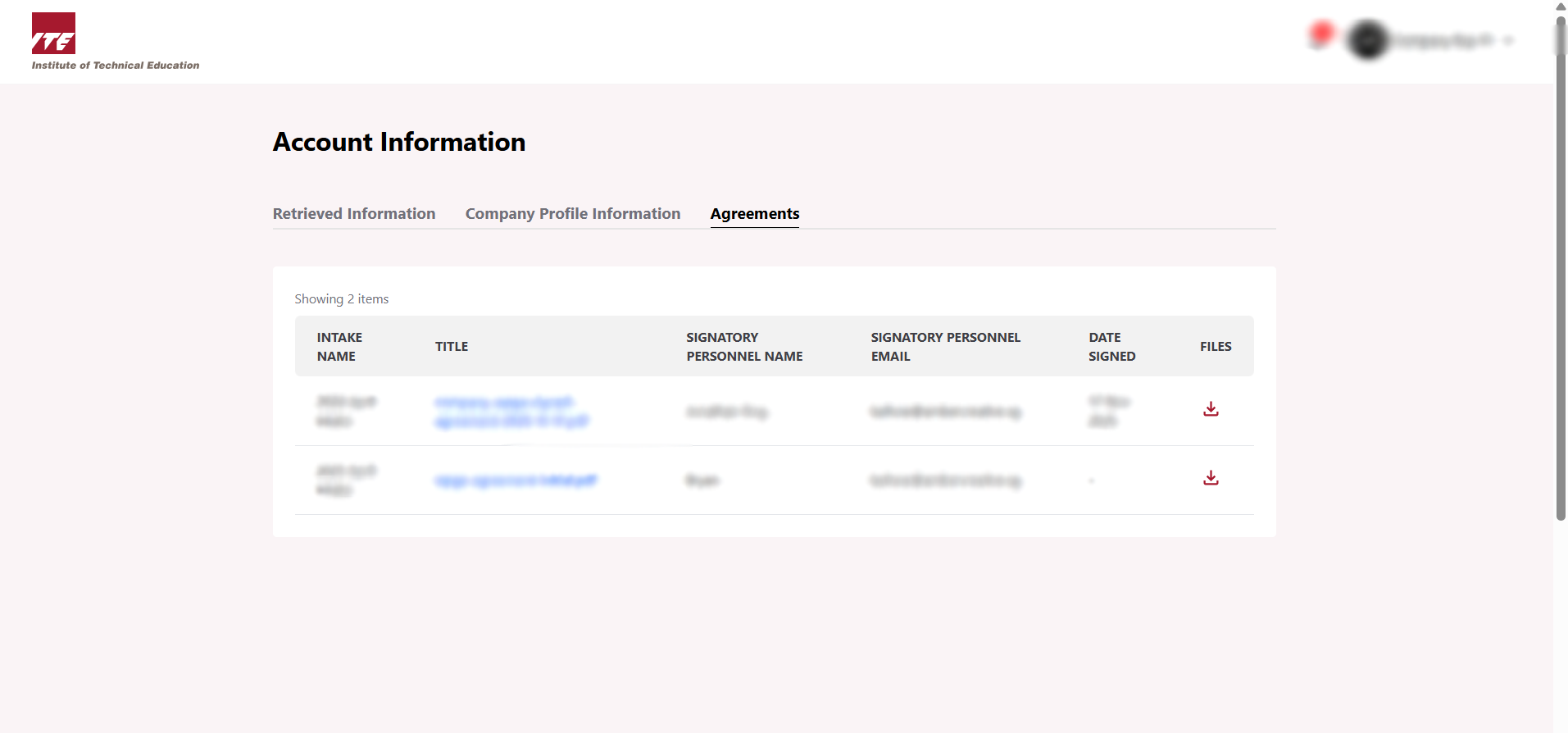
Step 2. Click on Agreements tab
Go to Agreement tab to access your signed documents.

Step 3. View Agreements
You can download the signed documents here.