Copy Sign Agreement Link
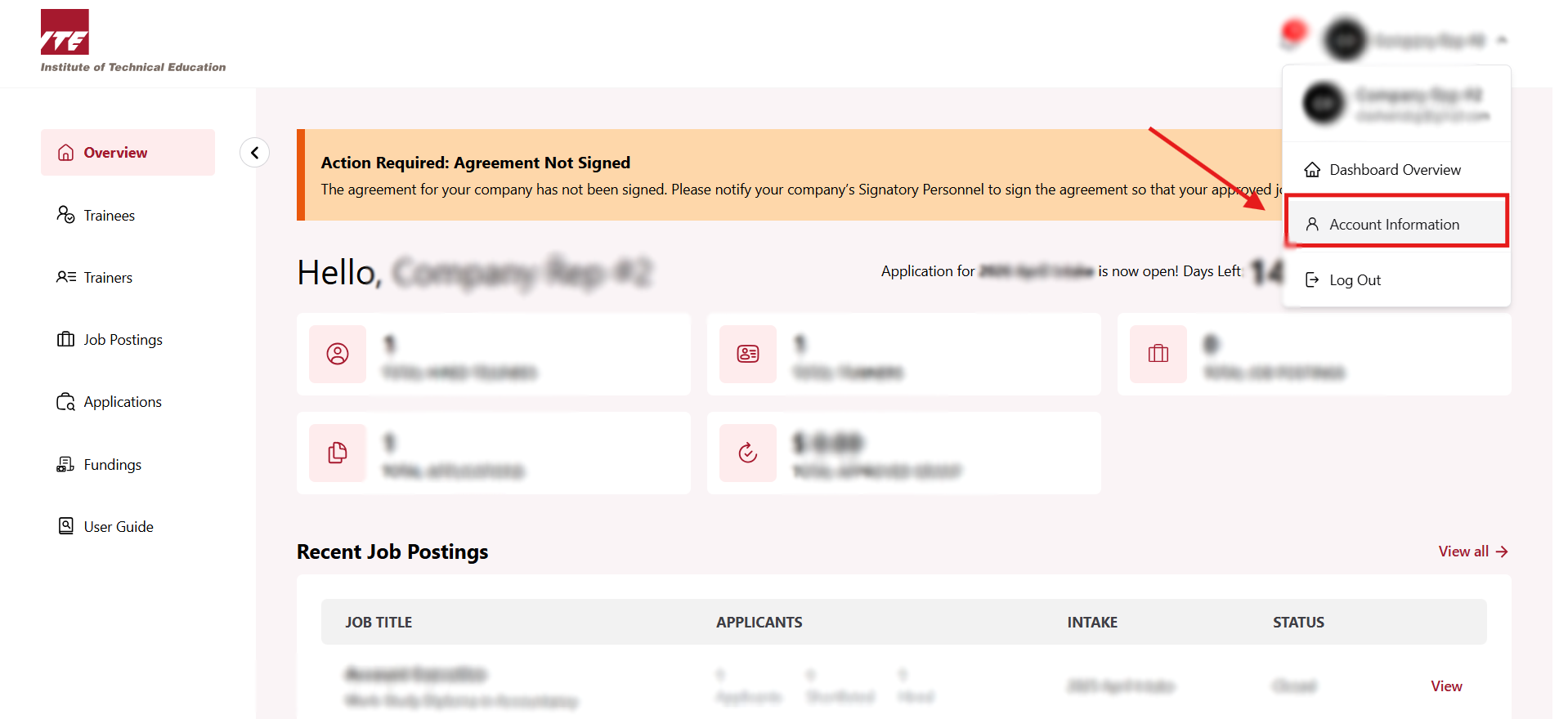
Step 1. Go to Company Dashboard
-
Click on the Navbar user icon to open the drop down menu.
-
Click Account Information.
Step 2. Click on Agreement tab
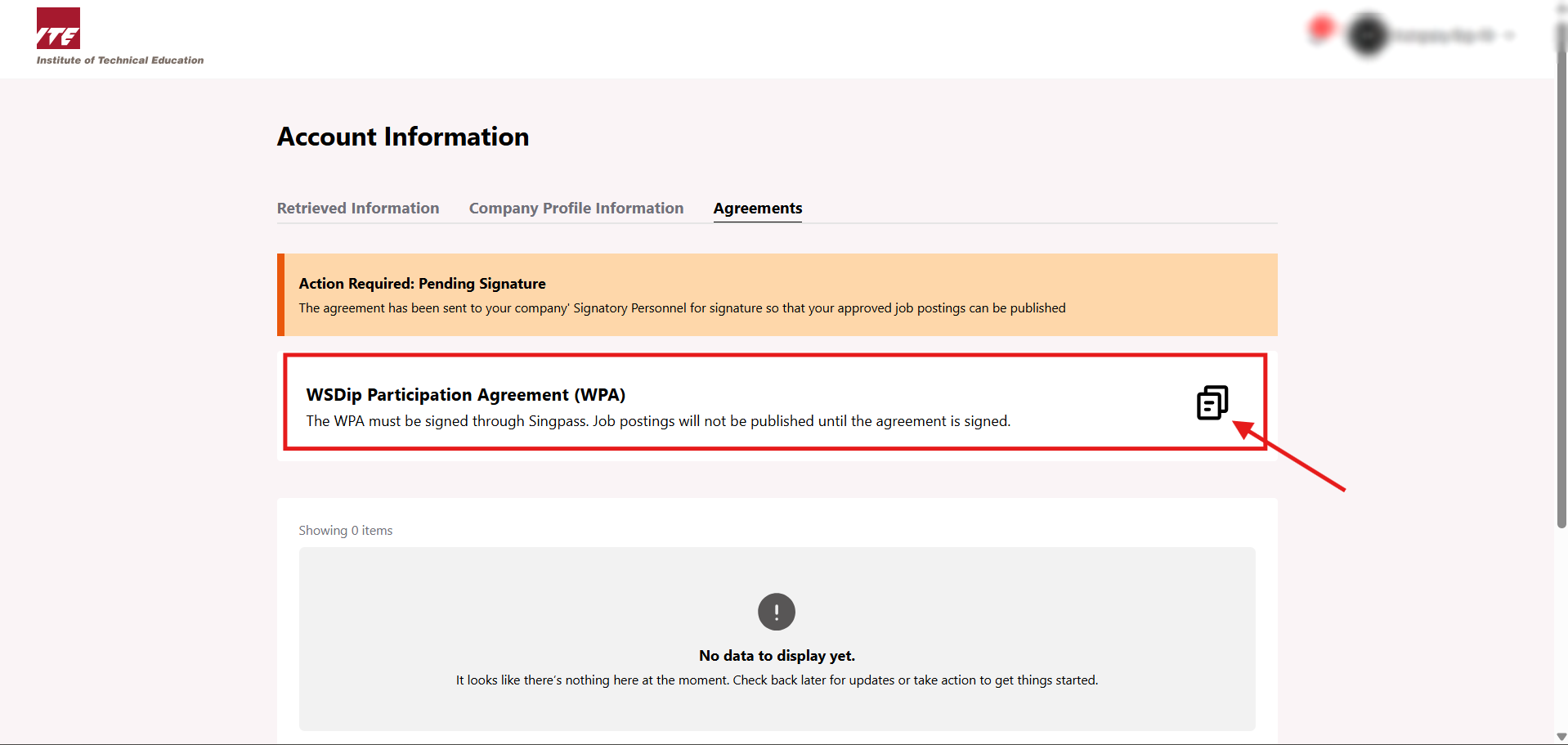
Go to Agreement tab to view your WSDip Agreement(s).

Step 3. Copy Link
Click document icon to copy the link.
Note: The copied link will remain valid for 24 hours. Once expired, you will need to regenerate the link by clicking the document icon again.
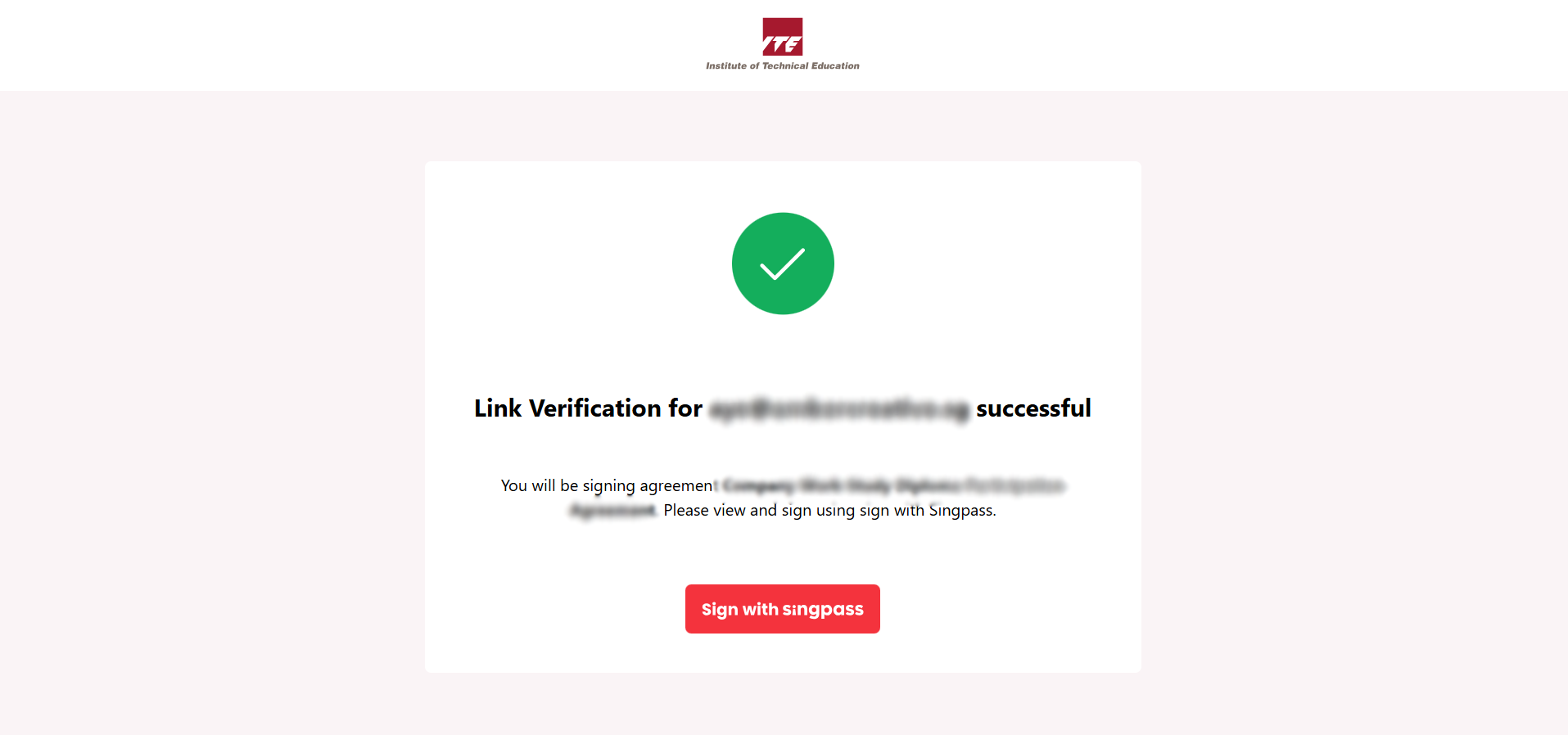
Step 4. Verification Link
Below is an example of how the copied link appears.
If your company’s Signatory Personnel did not receive the email, you can manually send this link to them.