Edit Company Information
Update your company's profile and personnel information to ensure accurate records for administrative and communication purposes. Only authorized representatives can make changes to editable fields in the Company Profile section.
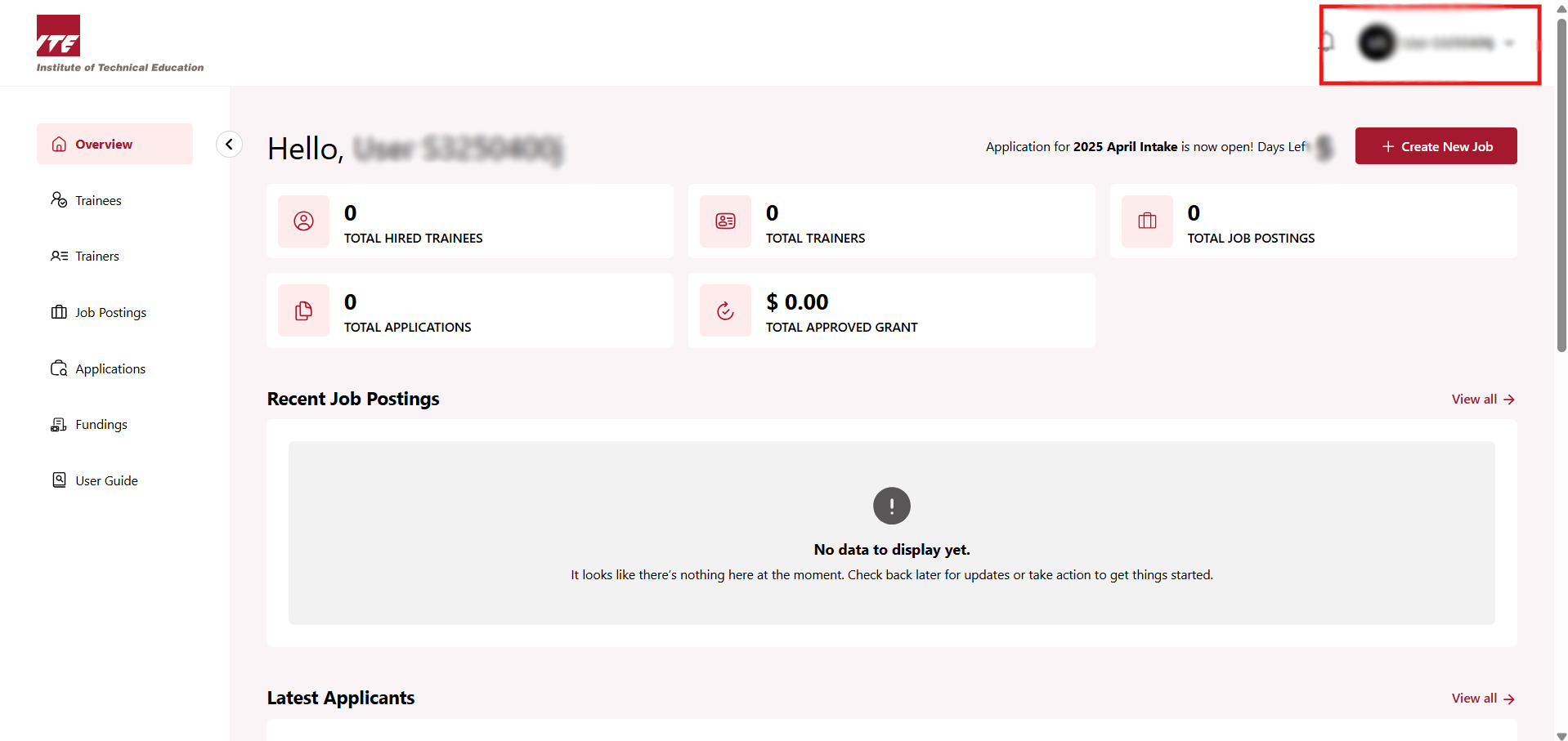
Step 1: Account Profile Dropdown
Click on the Dropdown at your Account Profile.
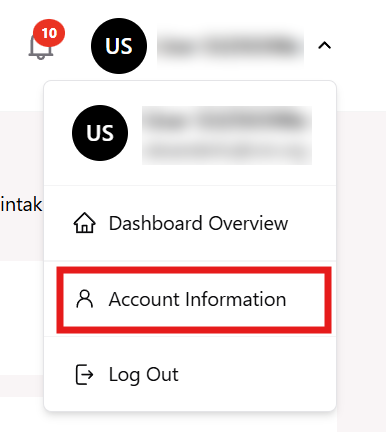
Step 2: Account Information
Click on Account Information on the dropdown.
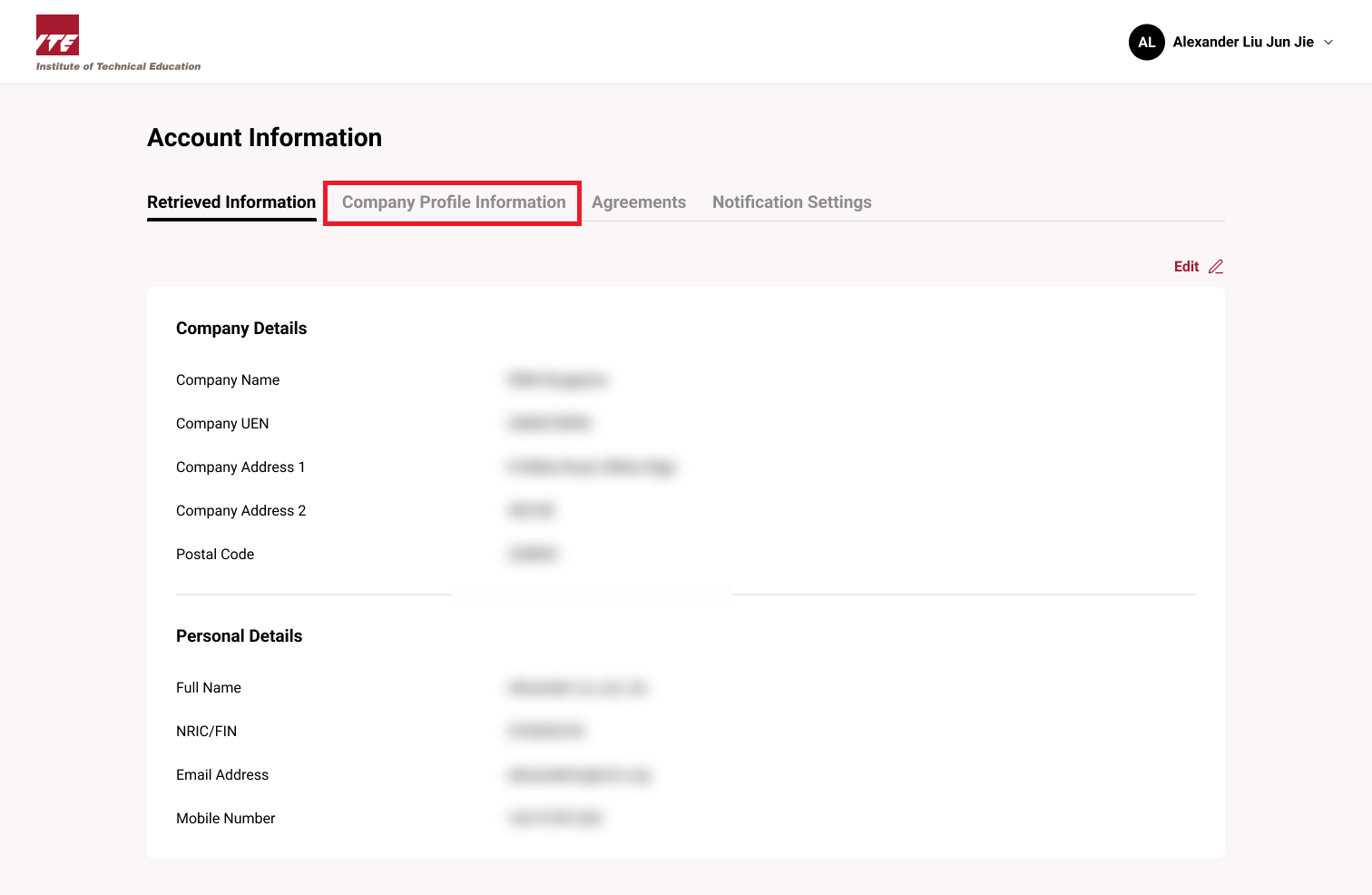
Step 3: Account Details
Click on the Company Profile Information tab.
Step 4: Company Details
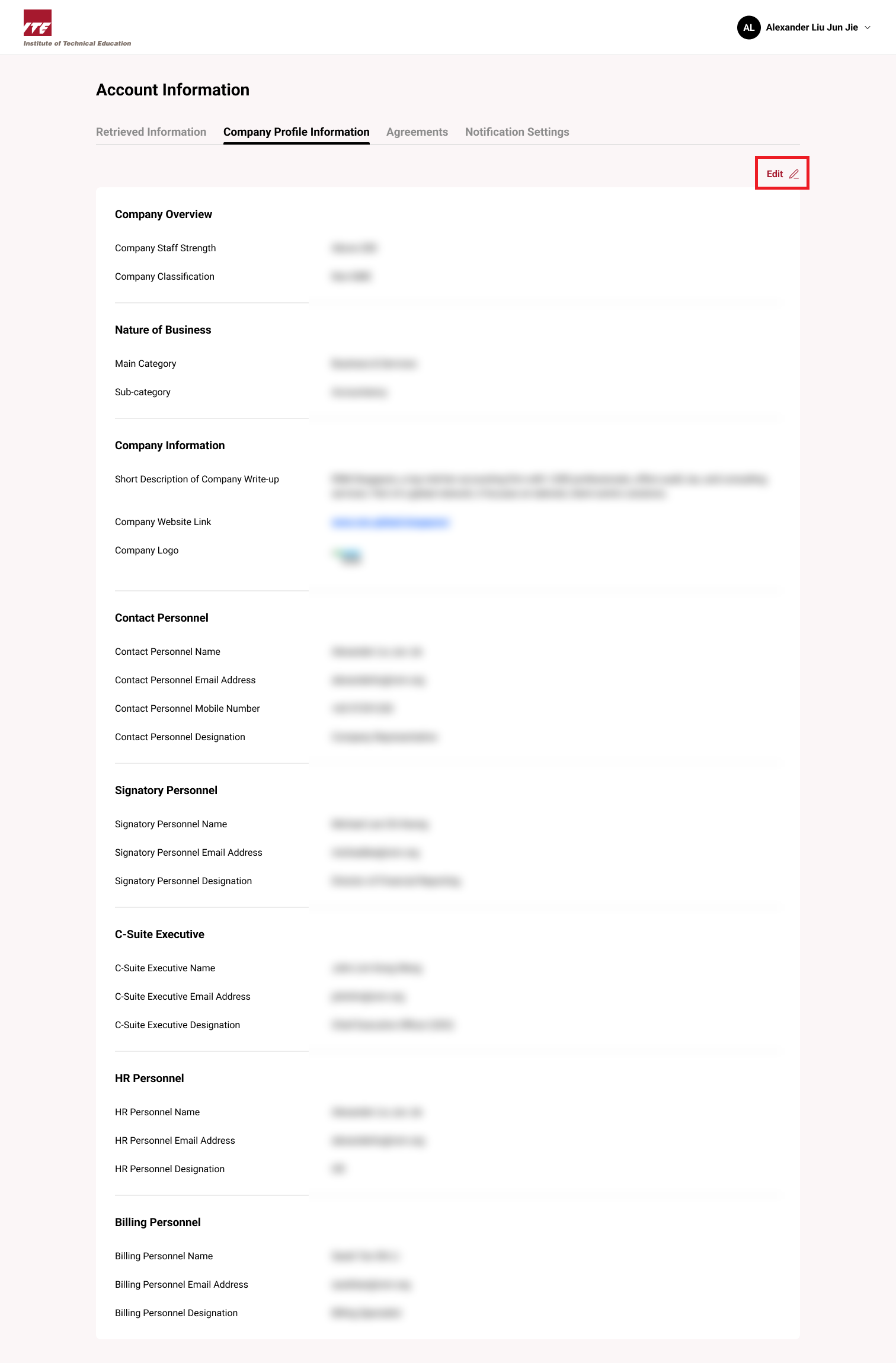
You will be at the Company Details page.
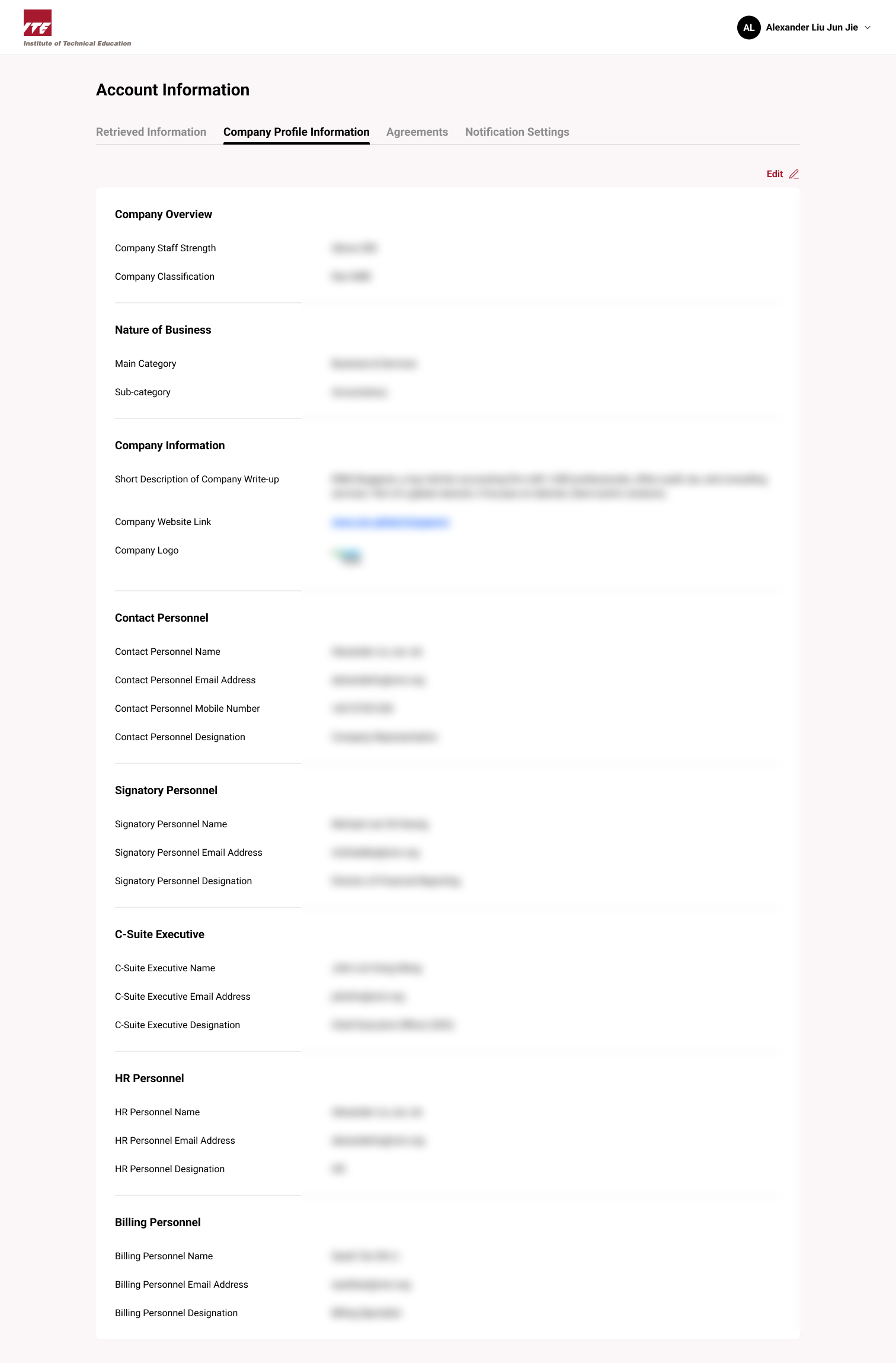
Step 5: Company Details Edit
Click on Edit.
Step 6: Company Details Edit Form
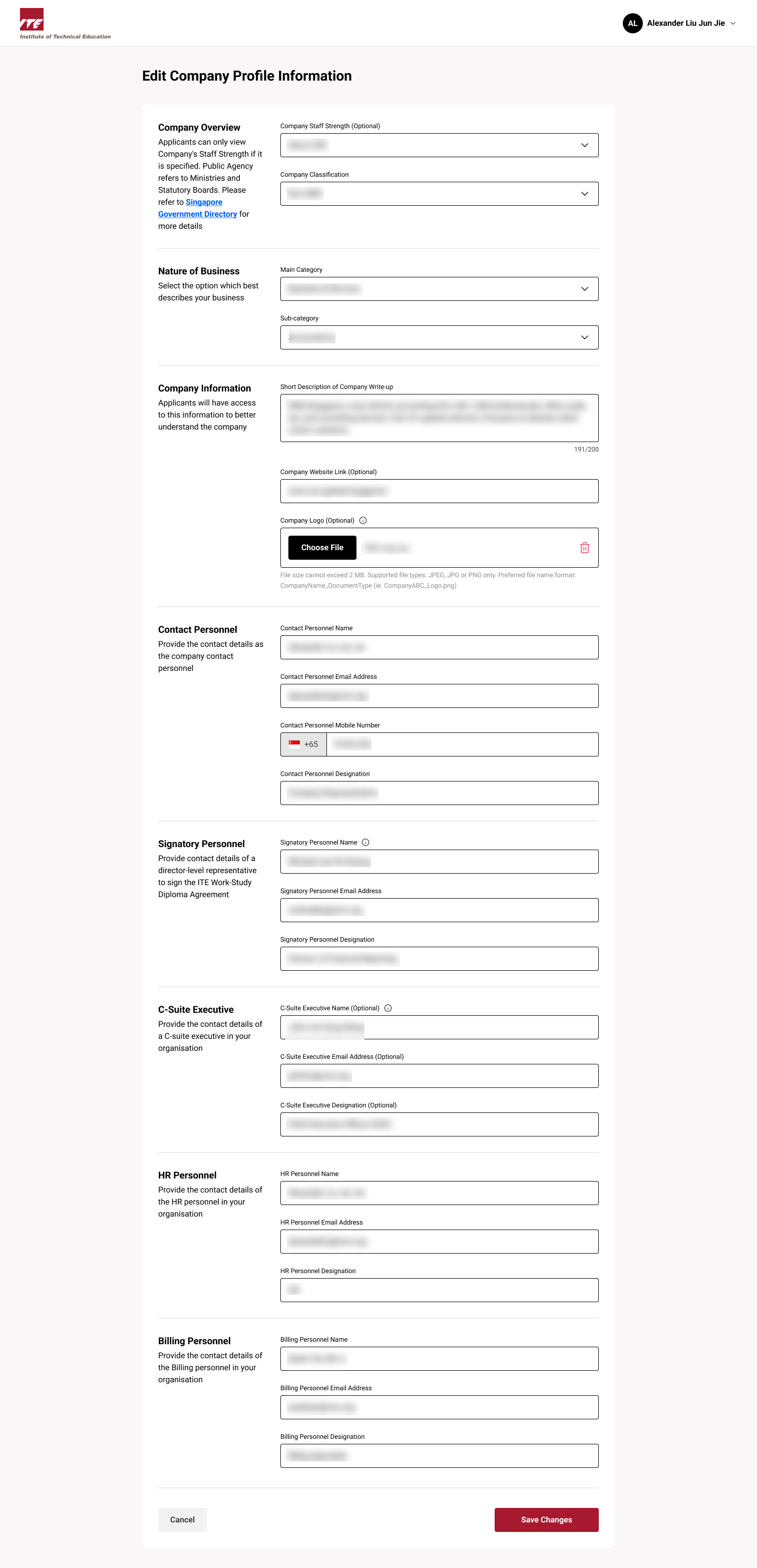
Modify the required fields in the edit form.
Editable Fields:
- Company Overview
- Nature of Business
- Company Information
- Contact Personnel
- Signatory Personnel
- C-Suite Executive (optional)
- HR Personnel
- Billing Personnel
Tips
- Fill in optional fields like C-Suite Executive for better organizational profiling.
- Use complete and up-to-date info in Contact and HR Personnel to ensure proper correspondence.
- Review the Nature of Business and Company Overview for accuracy, especially if there have been recent changes.
- Assign proper Signatory Personnel for legal and official correspondence.
- Always click Save Changes to confirm edits before leaving the page.
Step 7: Save Changes
Click Save Changes.
Your changes will be saved and reflected in the company profile.