Create Company Project
Create and submit your Company Project Proposal directly from the OJT section. Follow these steps to complete the process smoothly.
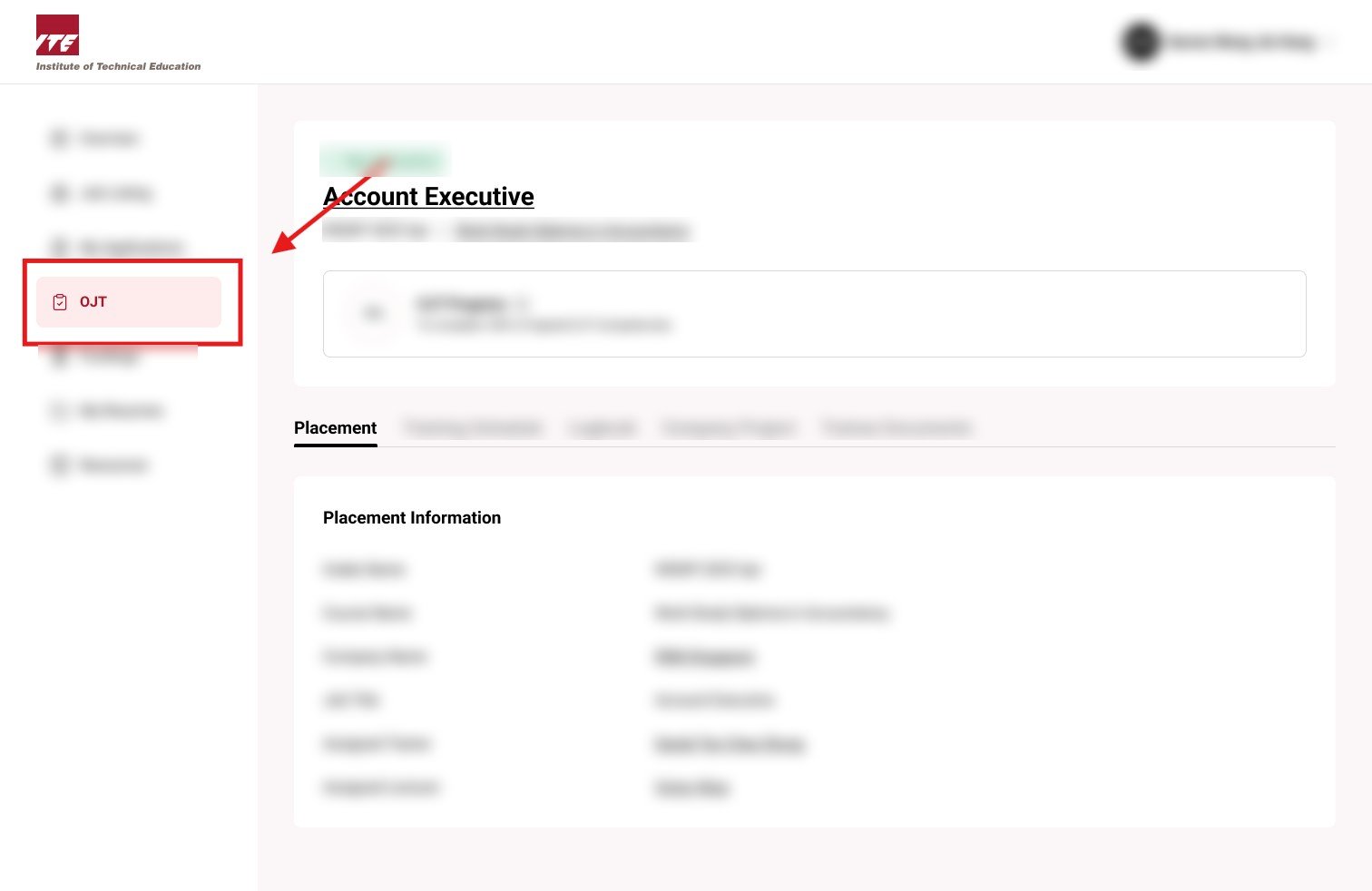
Step 1: Locate OJT Tab
Click on the "OJT" tab from the sidebar to access your On-the-Job Training features.
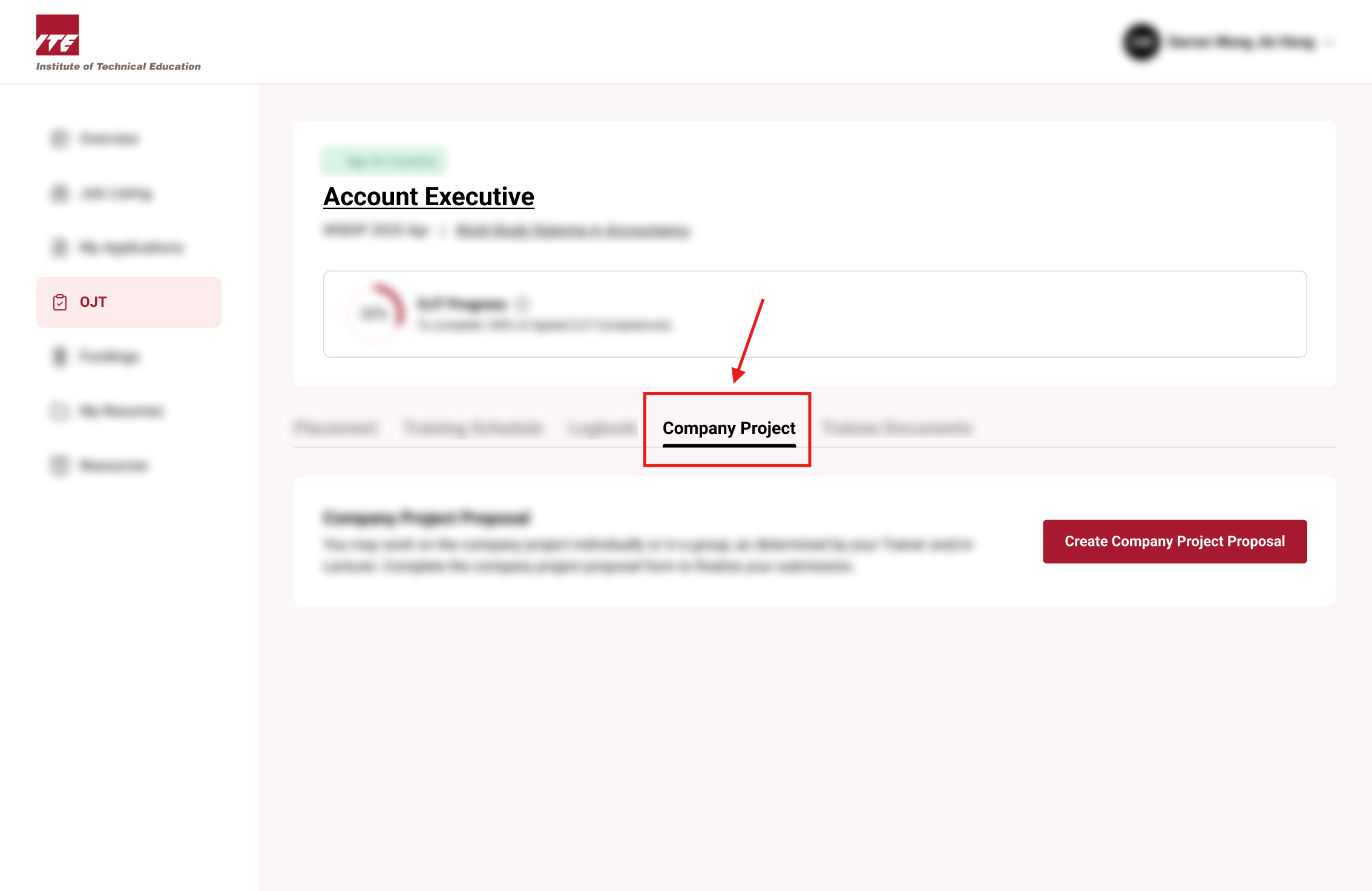
Step 2: Click on the Company Project Tab
Select the "Company Project" tab to view and manage your project proposals.
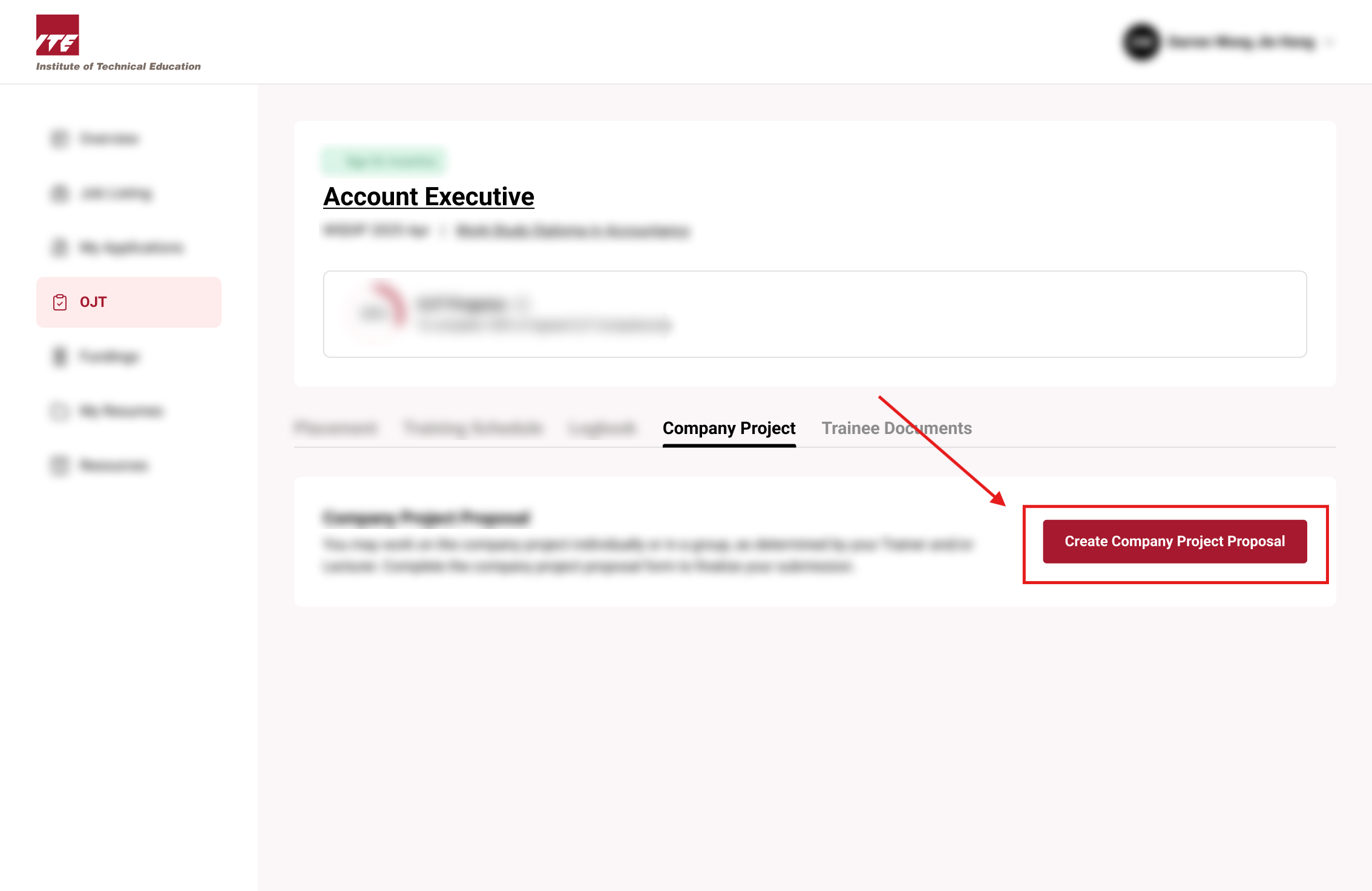
Step 3: Create Company Project Proposal
Click on the "Create Company Project Proposal" button.
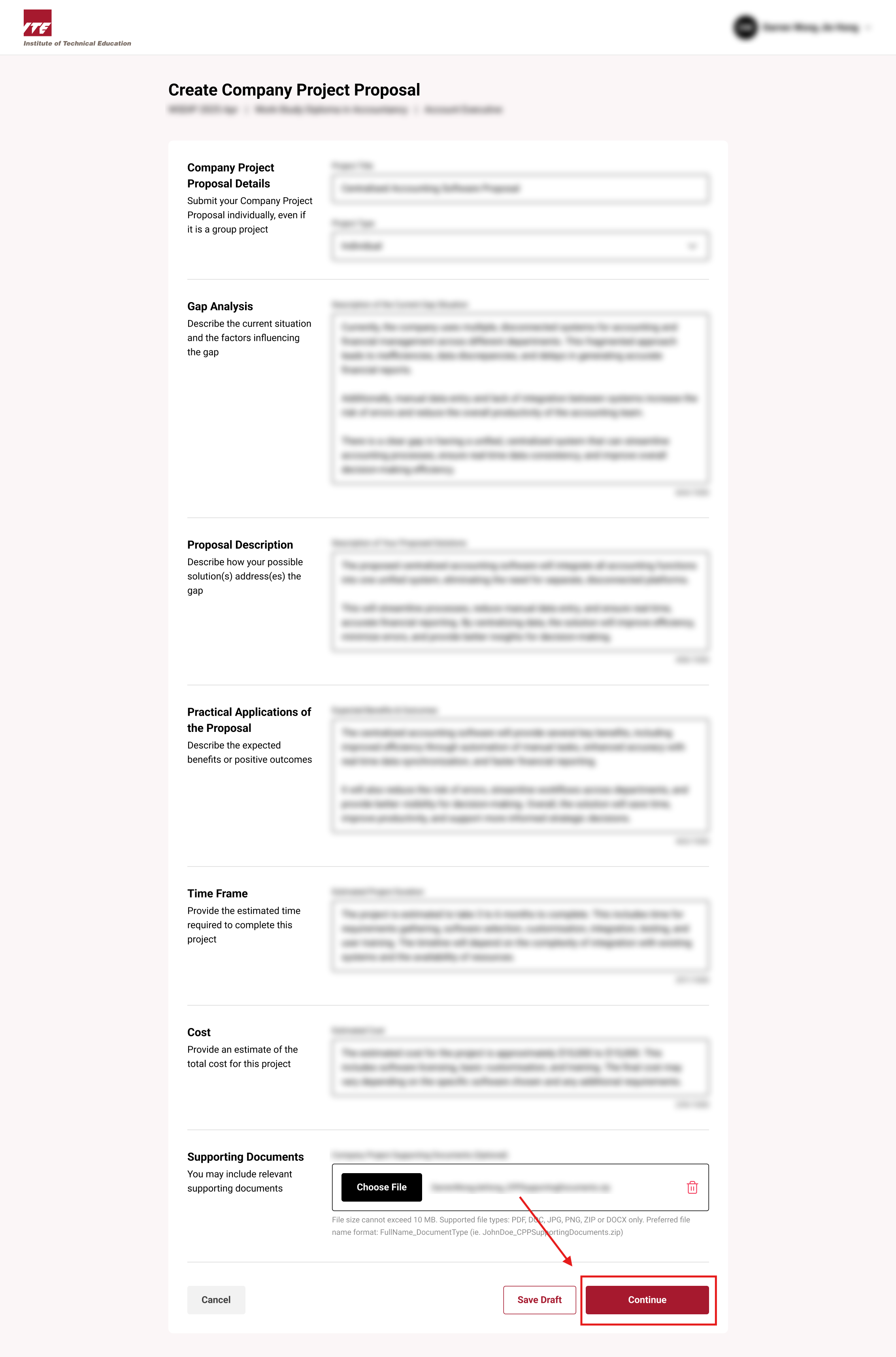
Step 4: Fill in Details and Continue
Enter the required project details in the form, then click the "Continue" button.
Tips
- Double-check all project information before submitting.
- Use clear and concise descriptions in your proposal.
- If you encounter issues, reach out to your Training Officer.
- Save your progress regularly to avoid data loss during form completion.
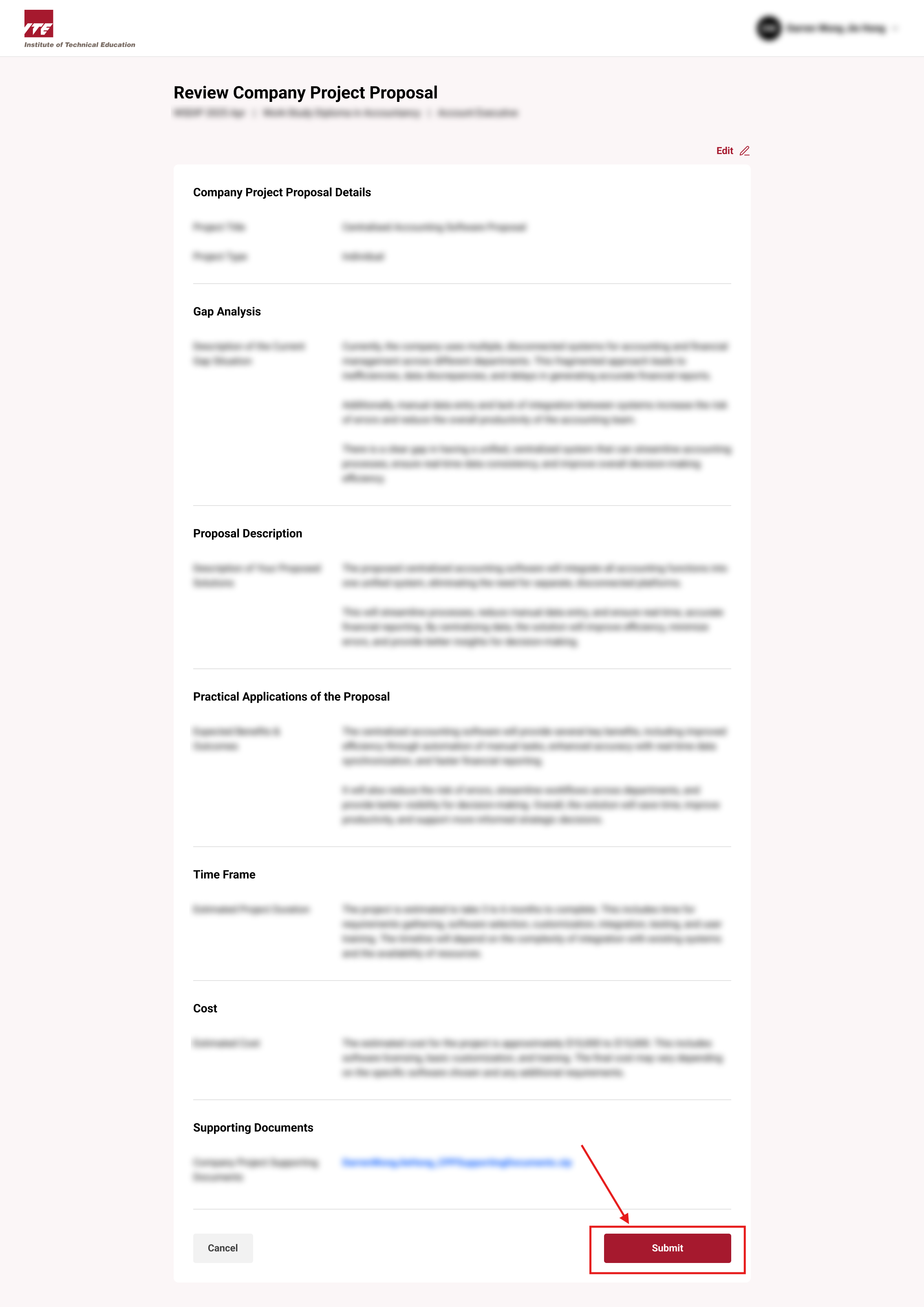
Step 5: Review and Submit
Carefully review the information you’ve entered and click "Submit" to send in your proposal.
Post Submission
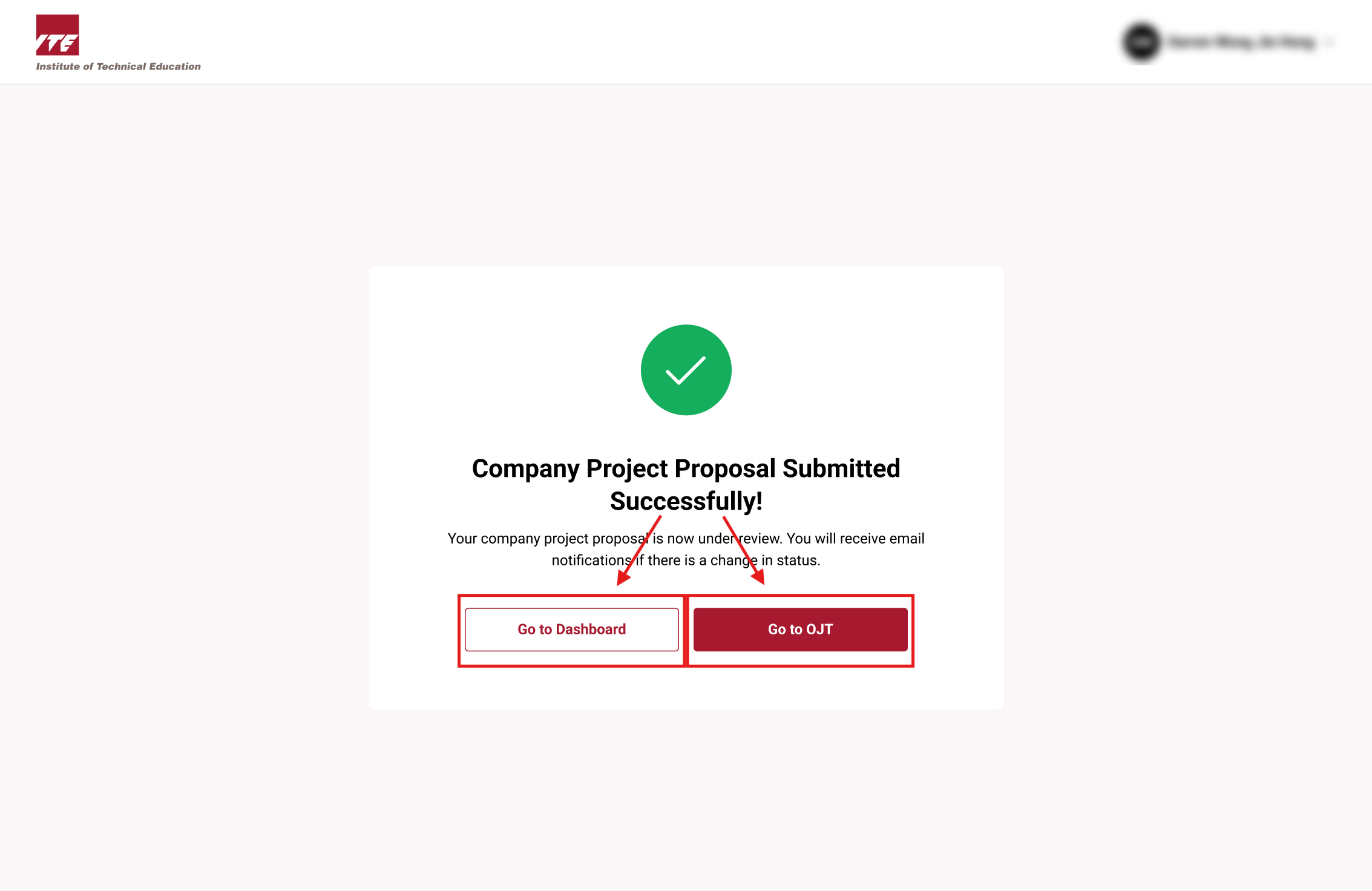
Your Company Project Proposal has been successfully submitted.
You may now navigate back to your Dashboard or return to the OJT tab.