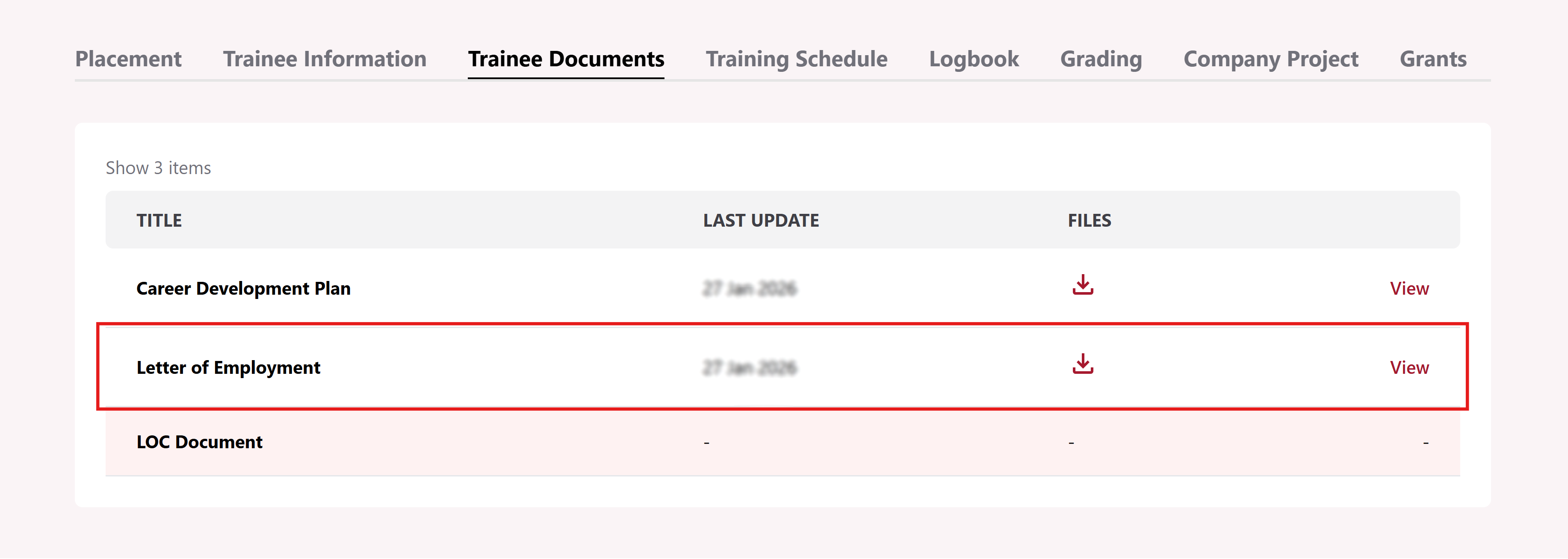
Submit Letter of Employment (LOE)
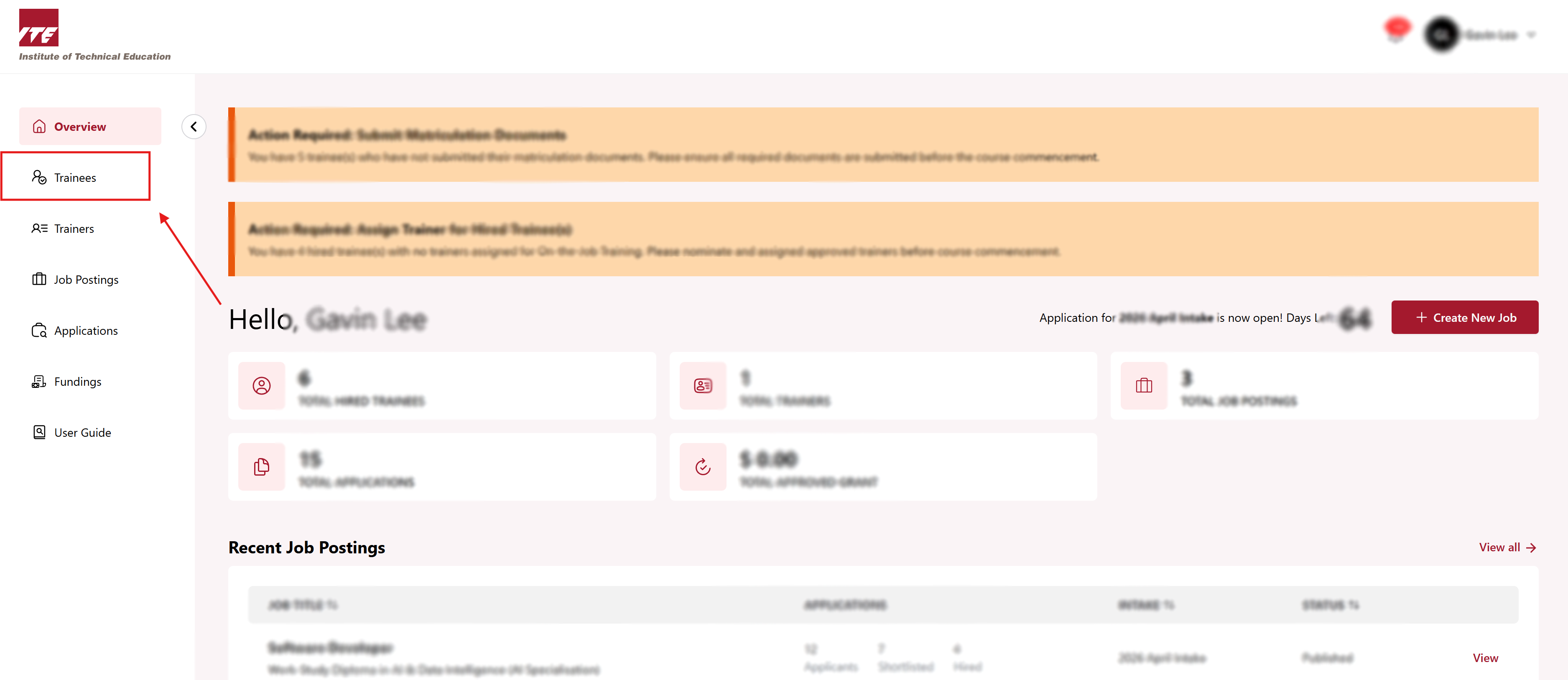
Step 1: Trainees Dashboard
Click on the Trainees to go to Trainee dashboard.
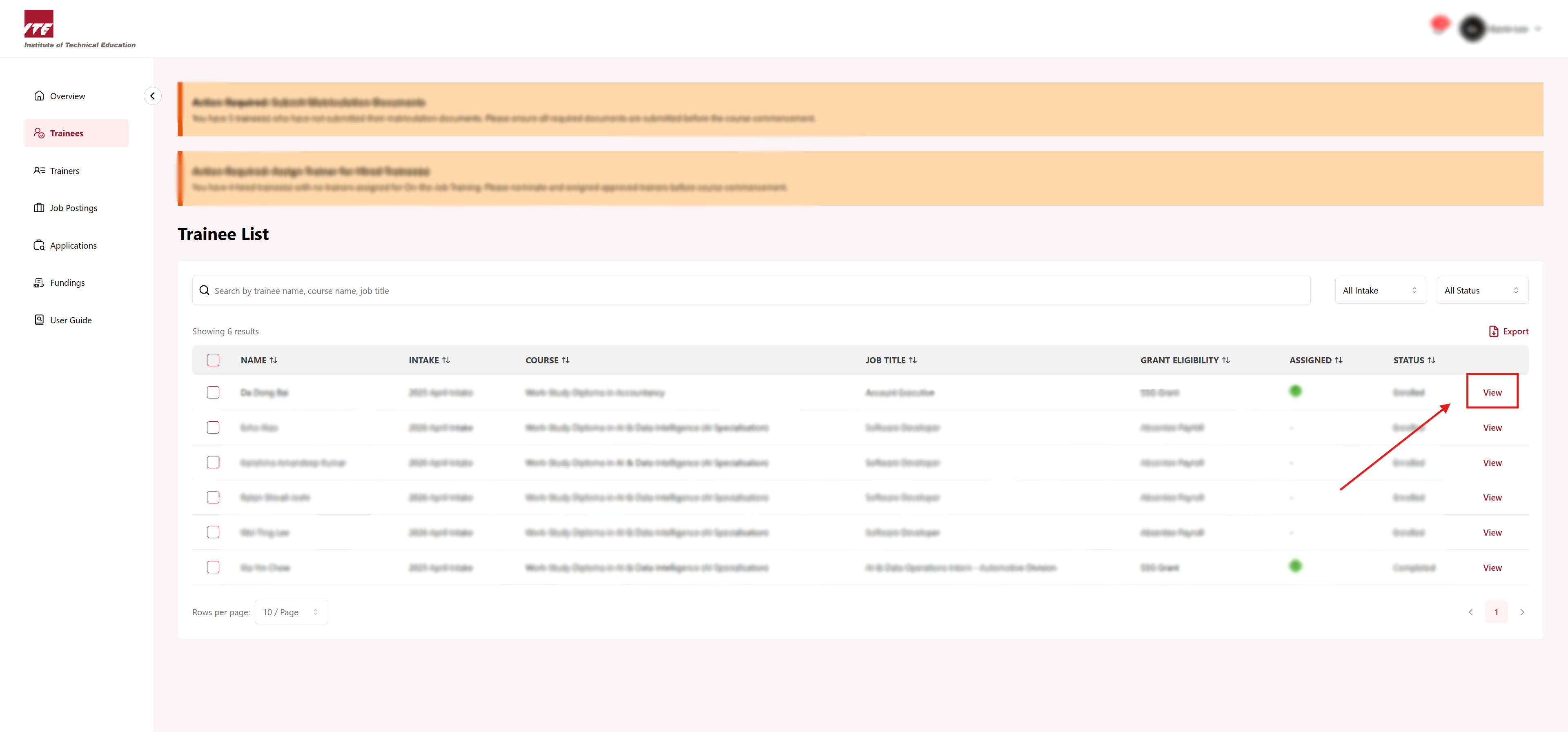
Step 2: View Trainee
Click on View next to the trainee.
Step 3: Trainee Documents Tab
Click on Trainee Documents tab.
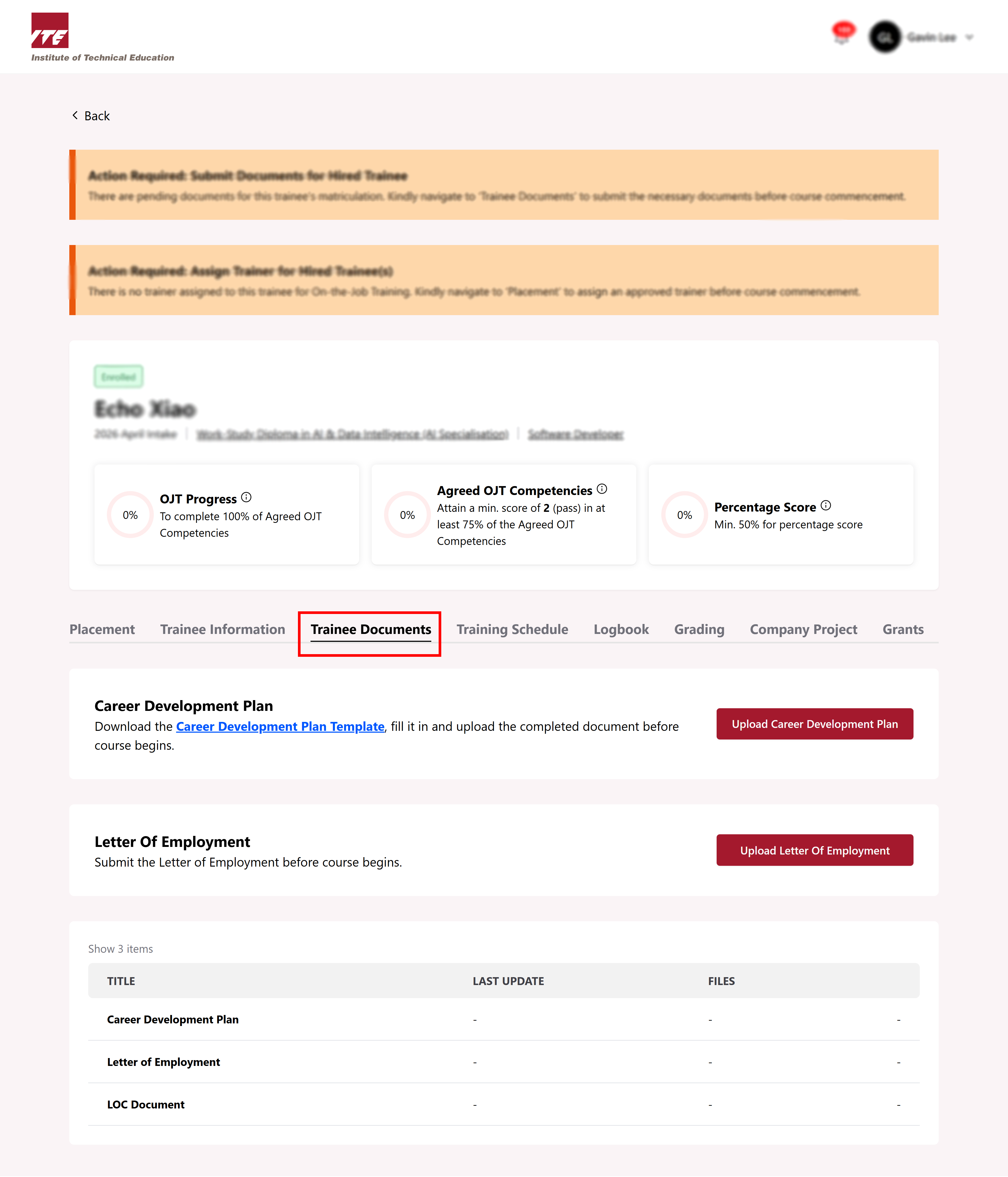
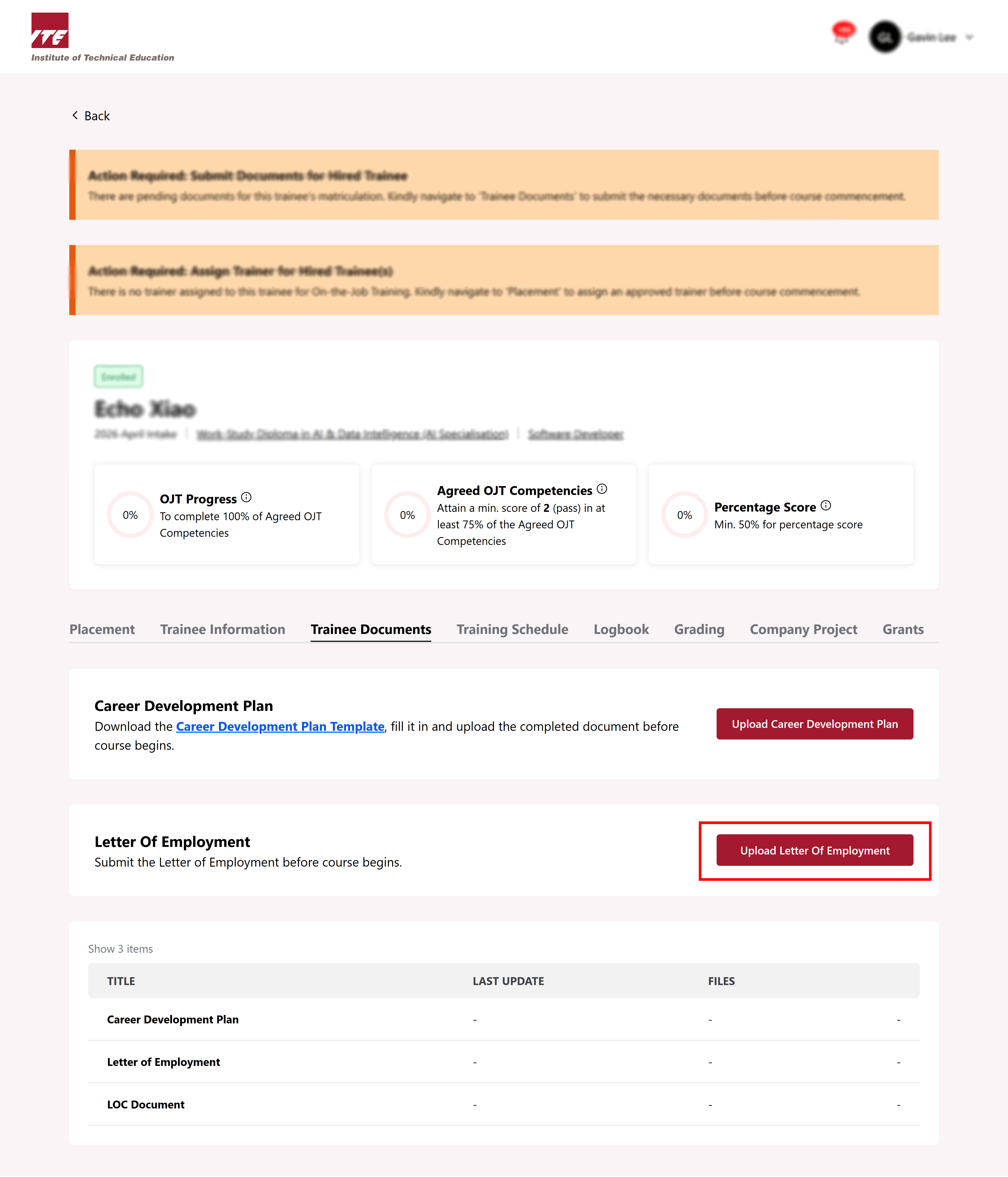
Step 4: Upload LOE
Click on Upload Letter of Employment.
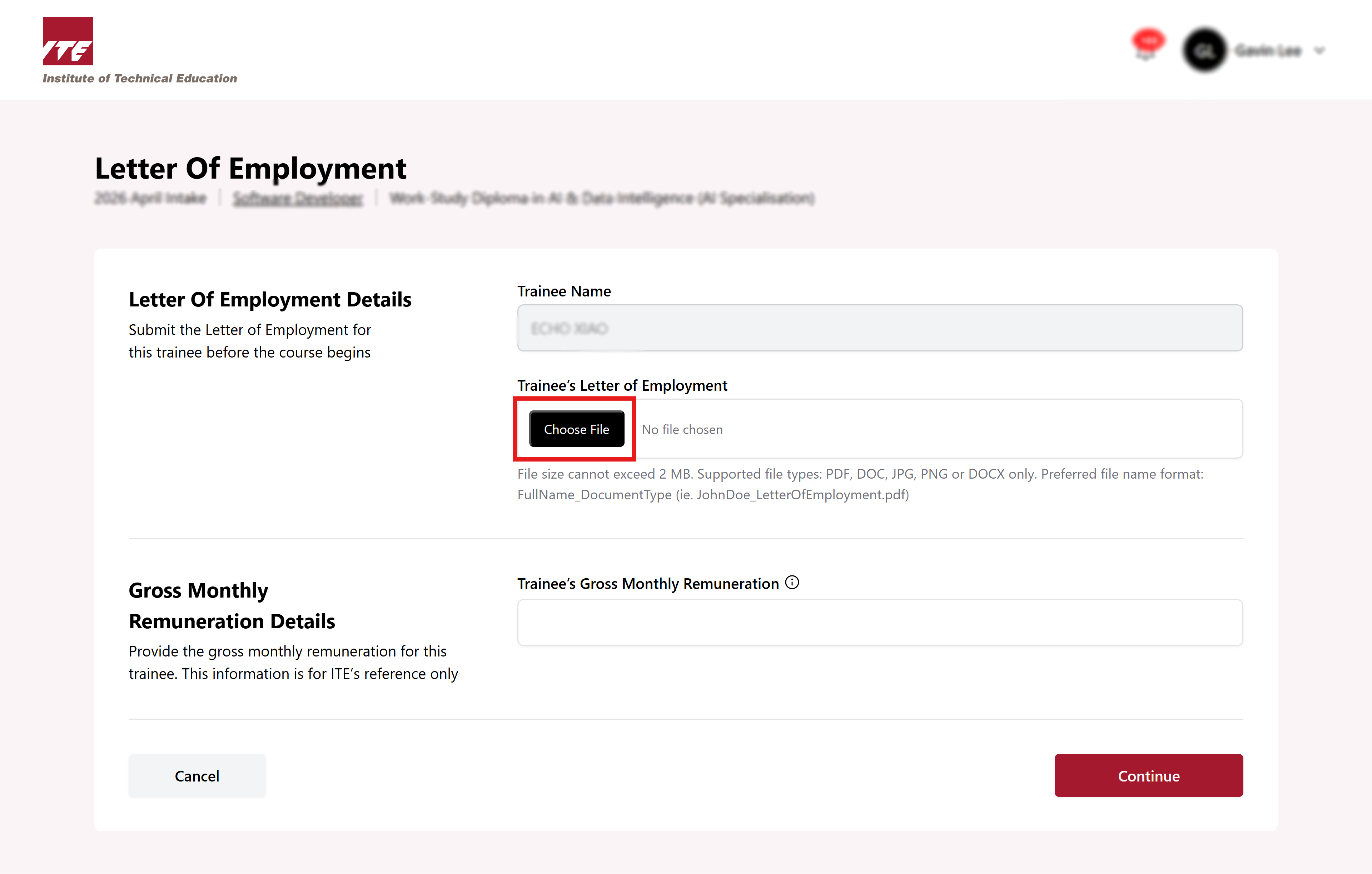
Step 5: Fill in information
Select Choose File to upload the LOE and fill in the Trainee’s Monthly Gross Remuneration.
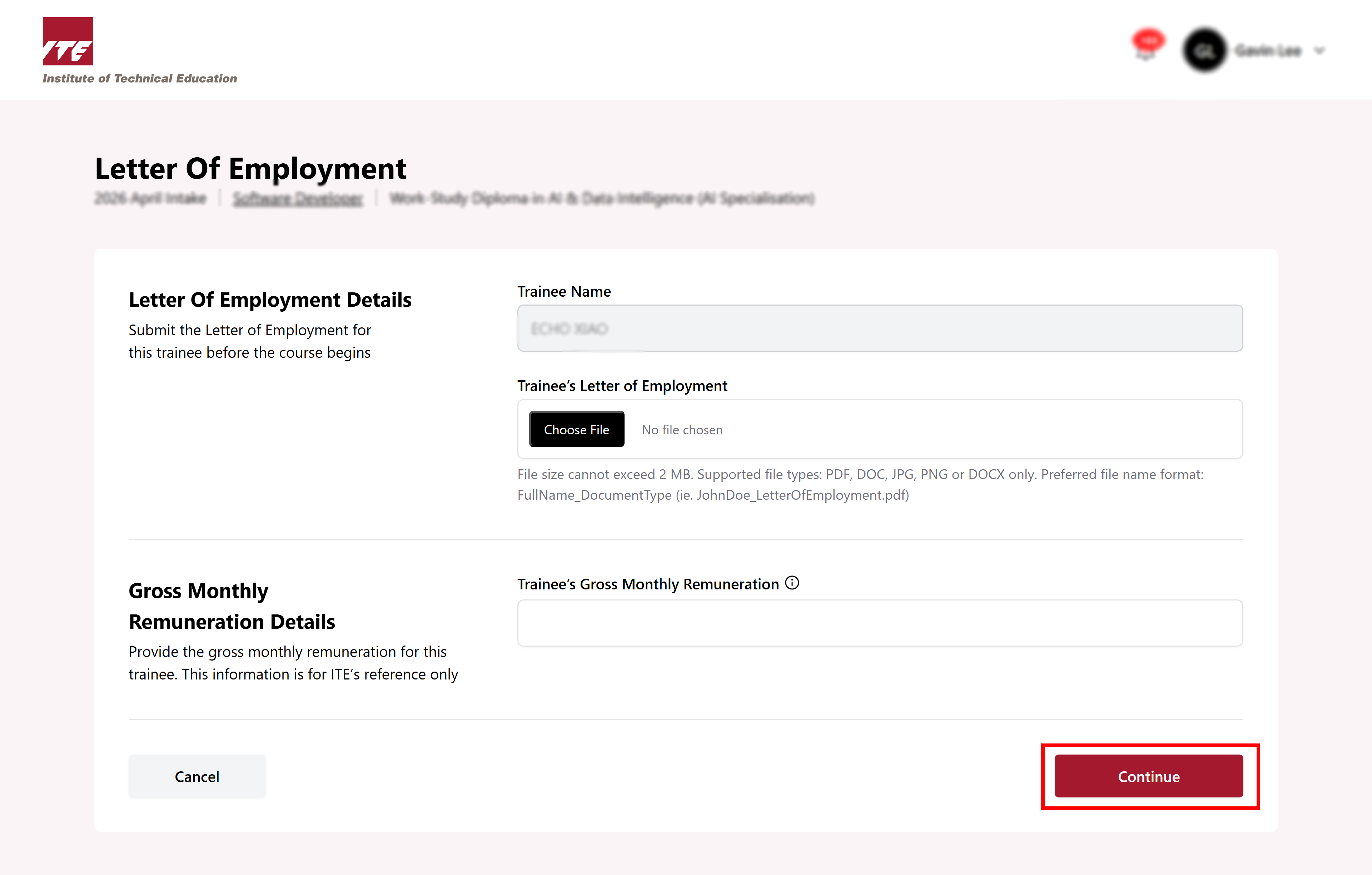
Step 6: Click Continue
After uploading the file and filling in the remuneration, click Continue.
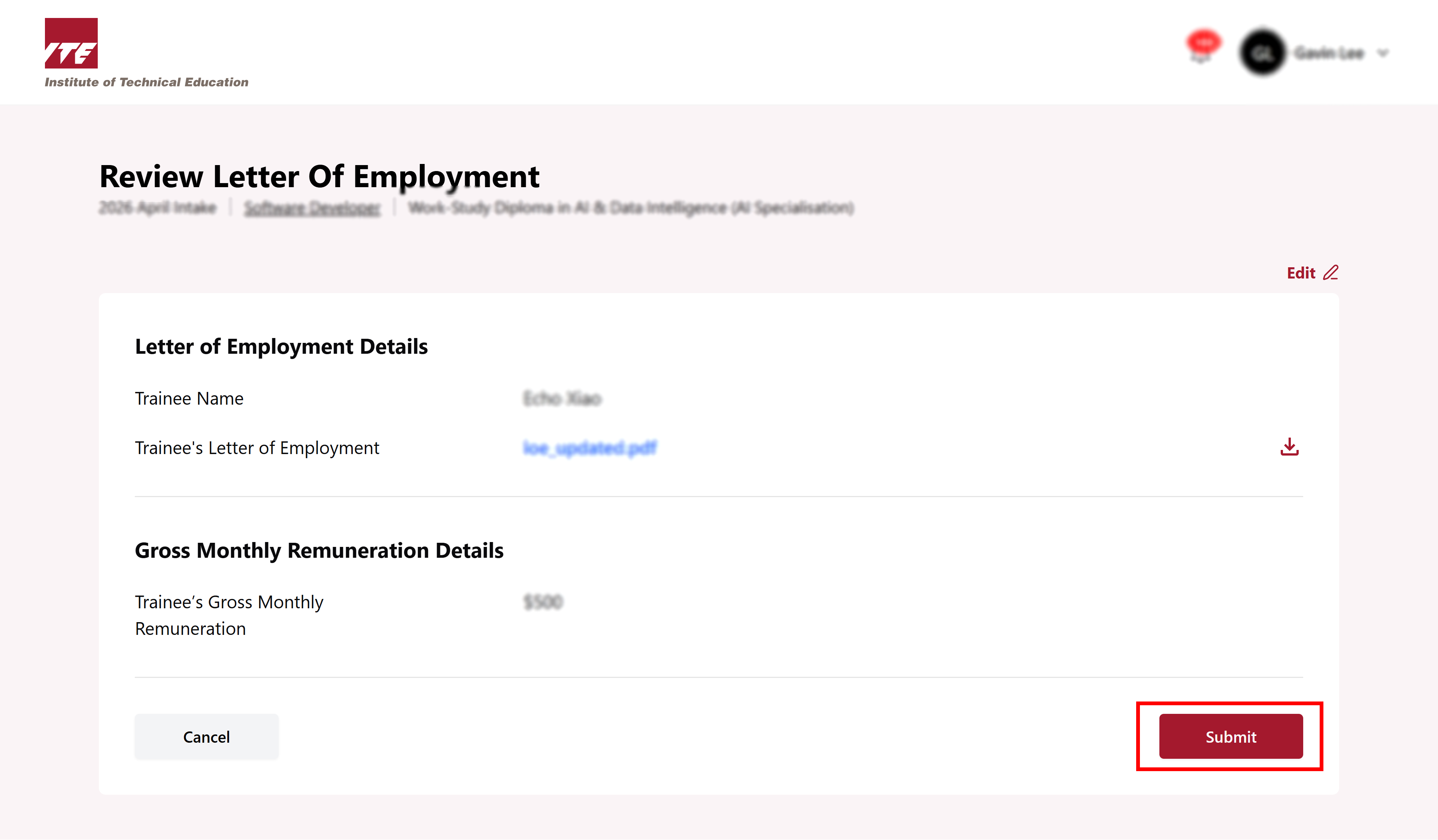
Step 7: Click on “Submit”
Review all information is correct before clicking on Submit.
Step 8: LOE submitted successfully
You can see the successful message pop up in right corner. You have successfully uploaded the Letter of Employment.