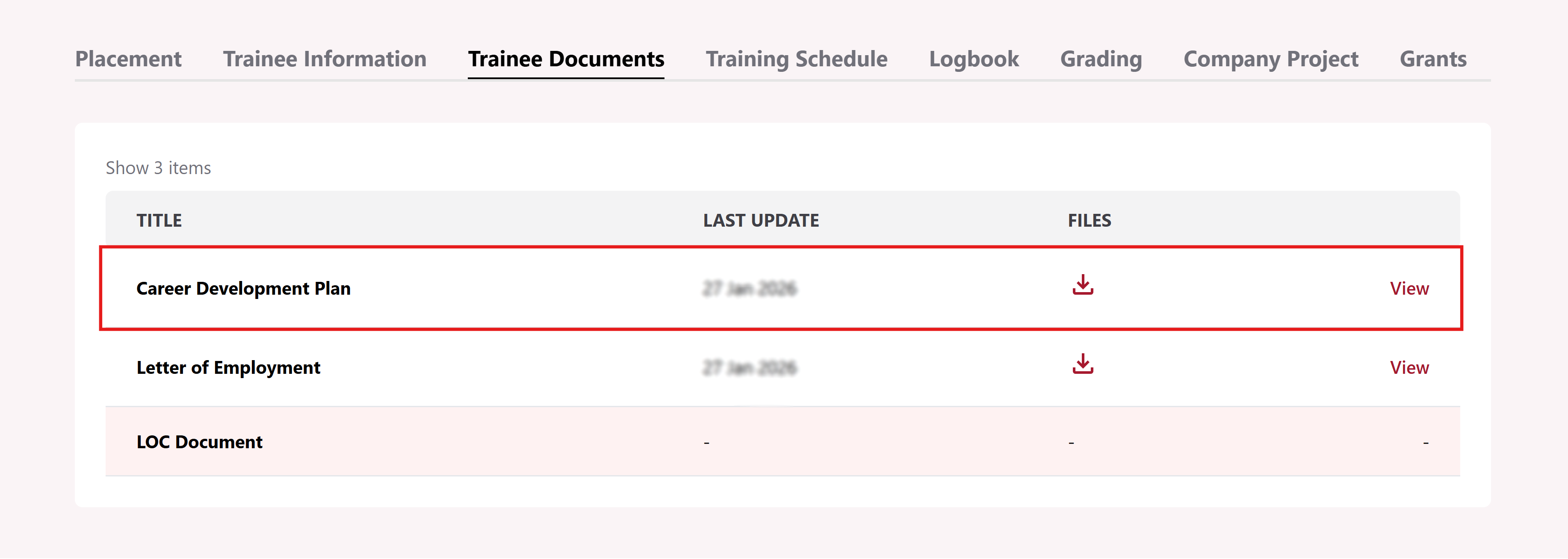
Submit Company Development Plan (CDP)
Company Rep is required to upload the Career Development Plan (CDP) for each individual trainee before the start of the course.
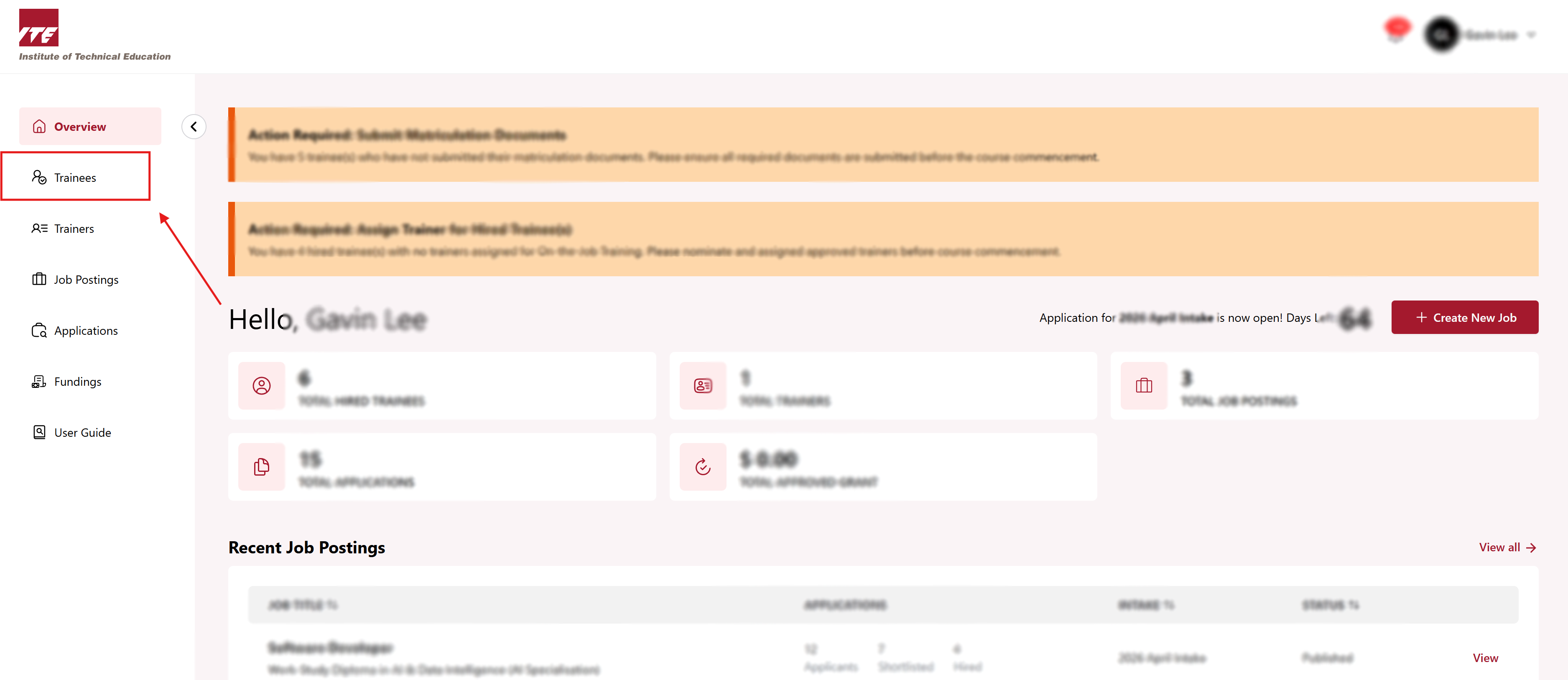
Step 1: Trainees Dashboard
Click on the Trainees to go to Trainee dashboard.
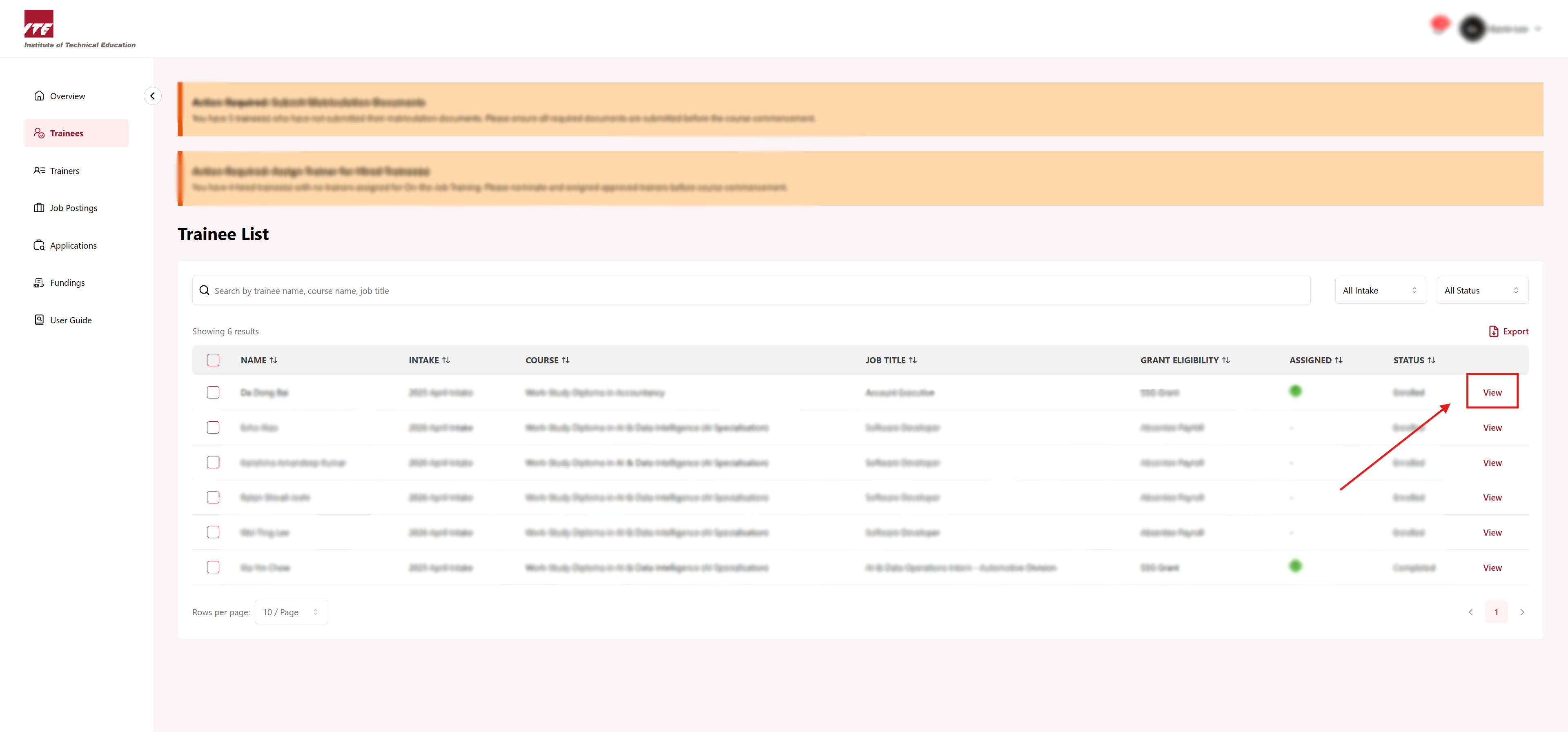
Step 2: View Trainee
Click on View next to the trainee.
Step 3: Trainee Documents Tab
Click on Trainee Documents tab.
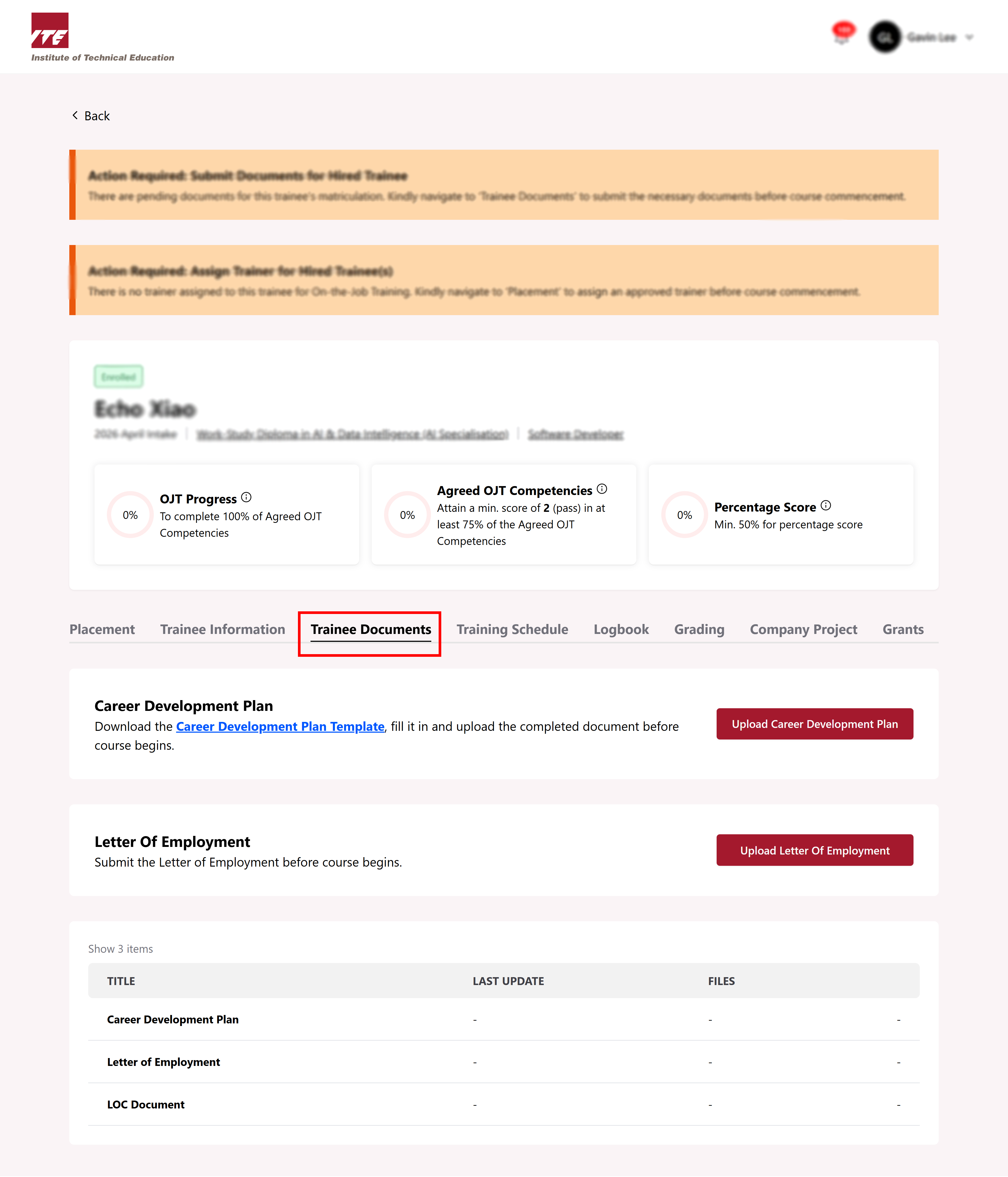
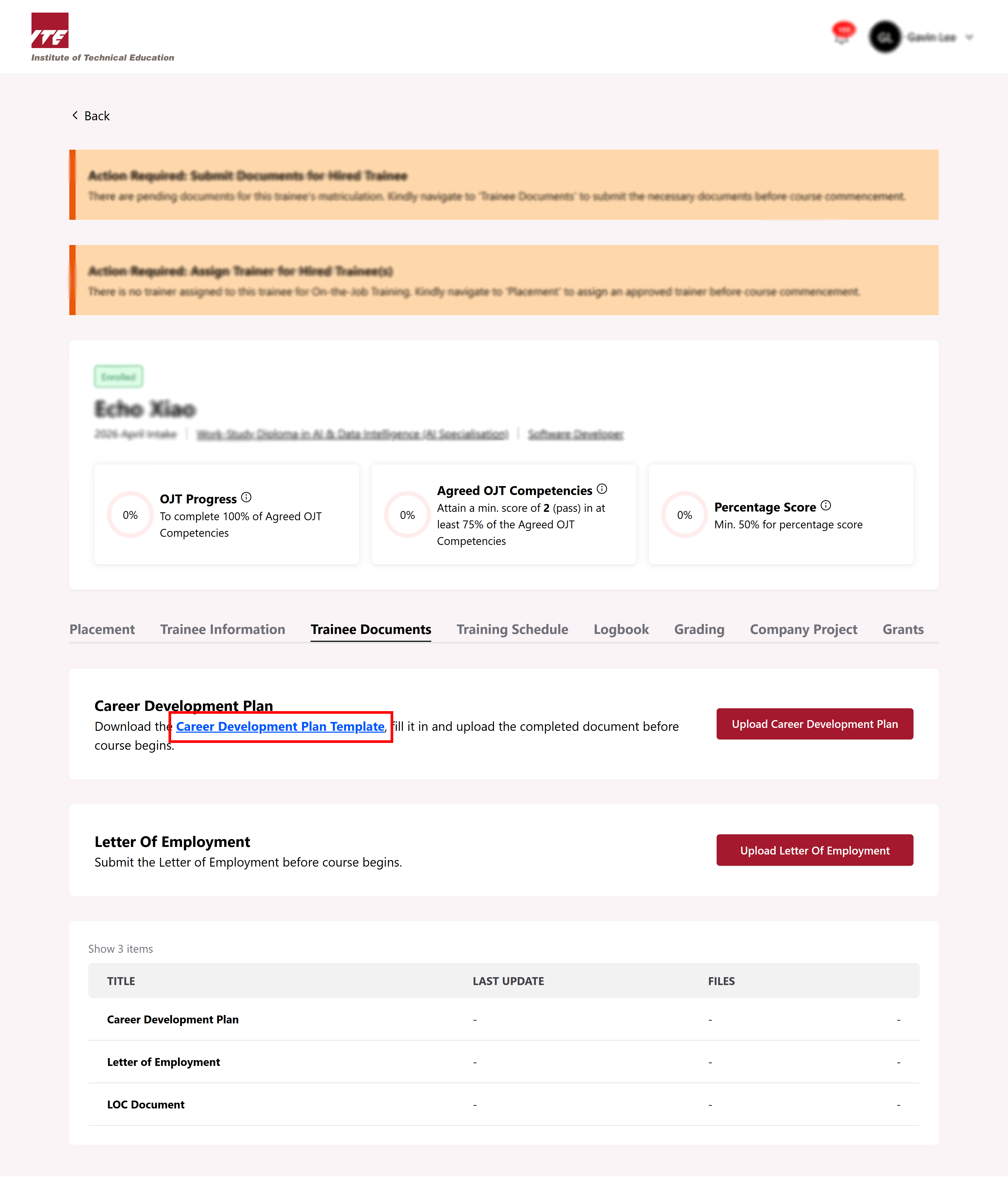
Step 4: Download the CDP
Click on Career Development Template link to download the CDP template.
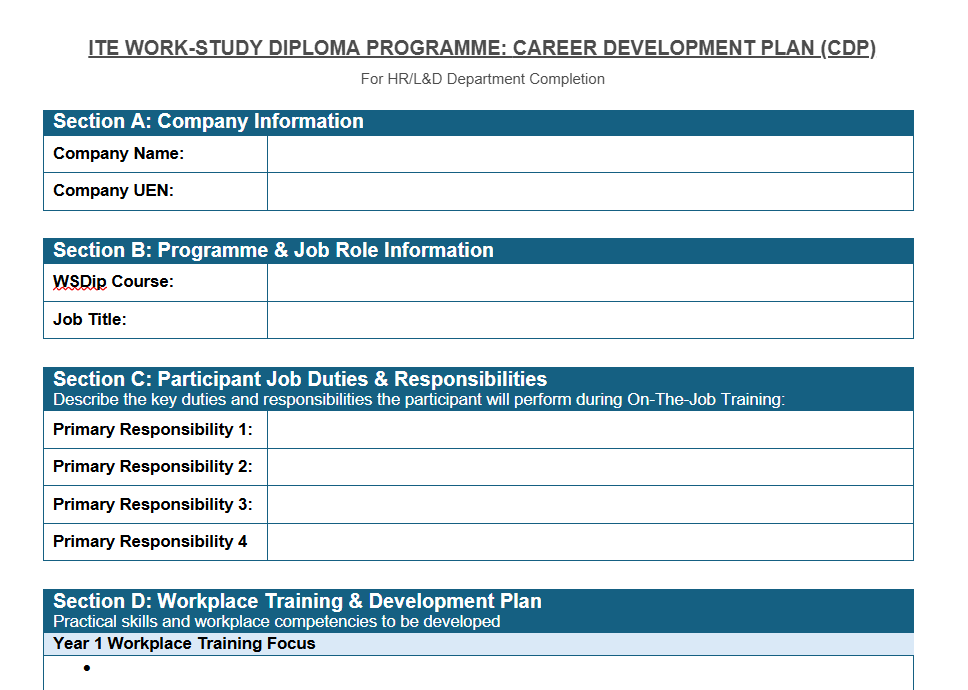
Step 5: Fill the CDP Template
After downloading the CDP template, fill up the required information accordingly.
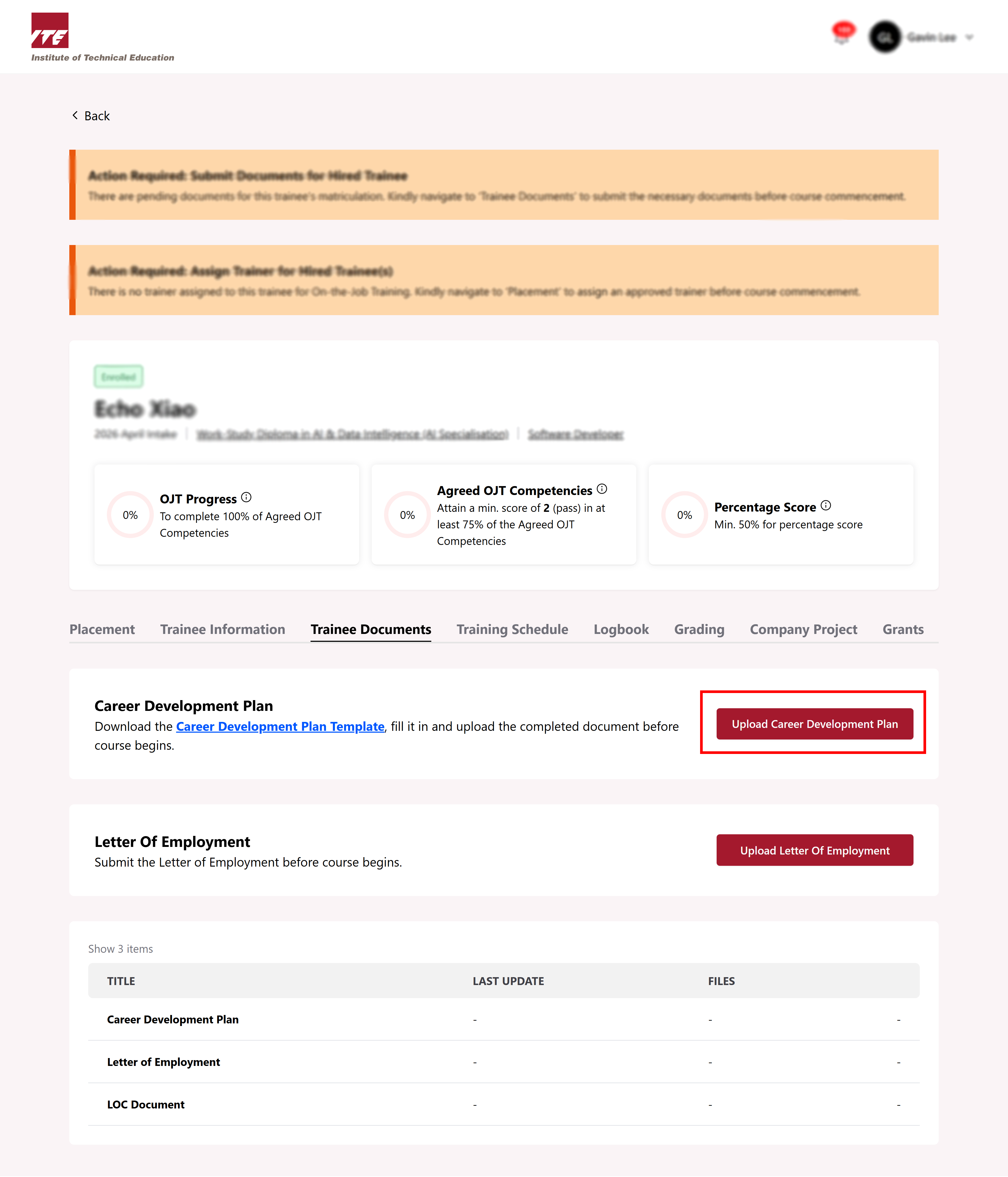
Step 6: Upload the filled CDP template
After filling out the CDP template, click Upload Career Development Plan to upload the filled template.
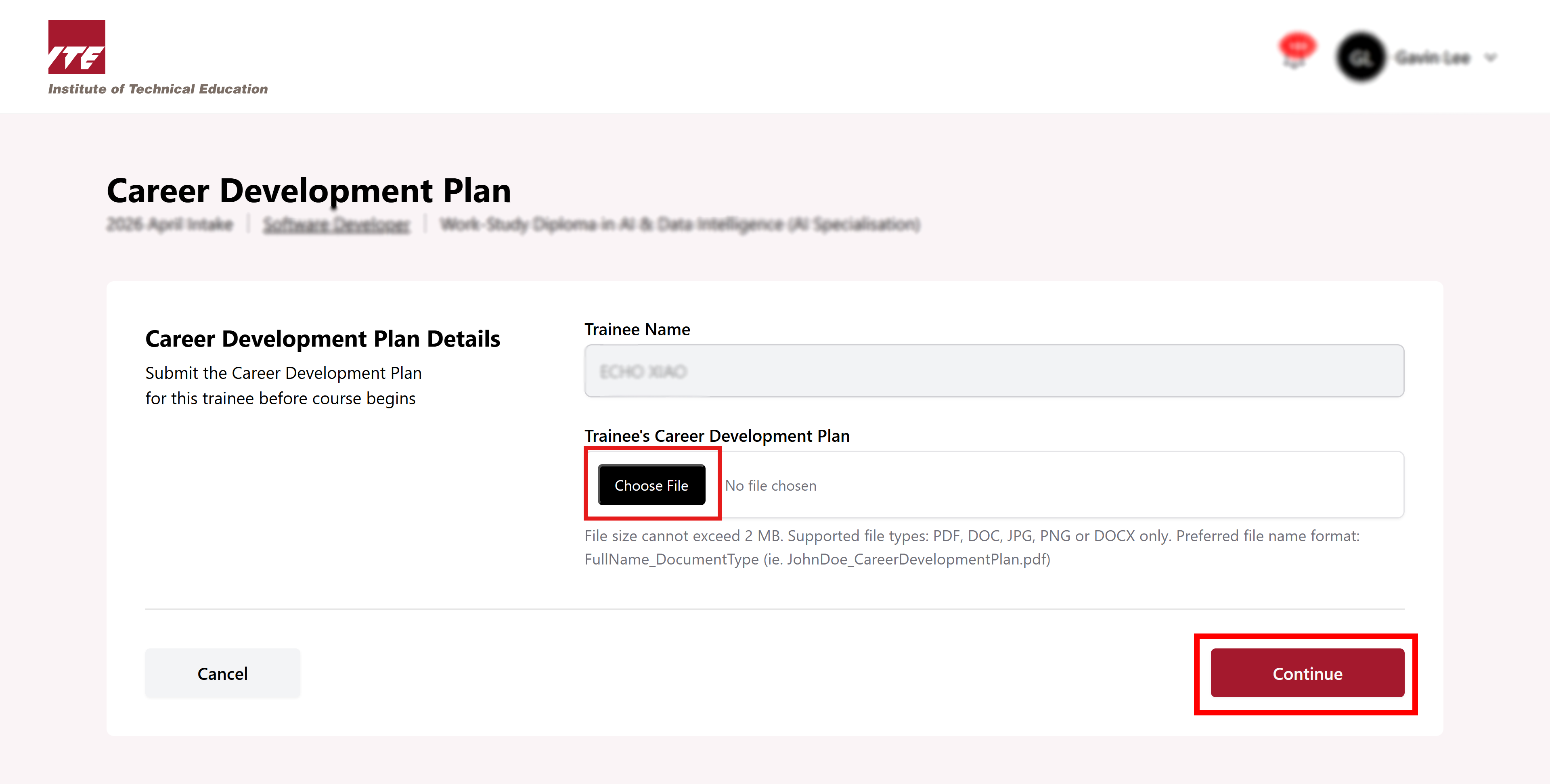
Step 7: Select “Continue” when done
Select Choose File to upload the document. After that, click Continue.
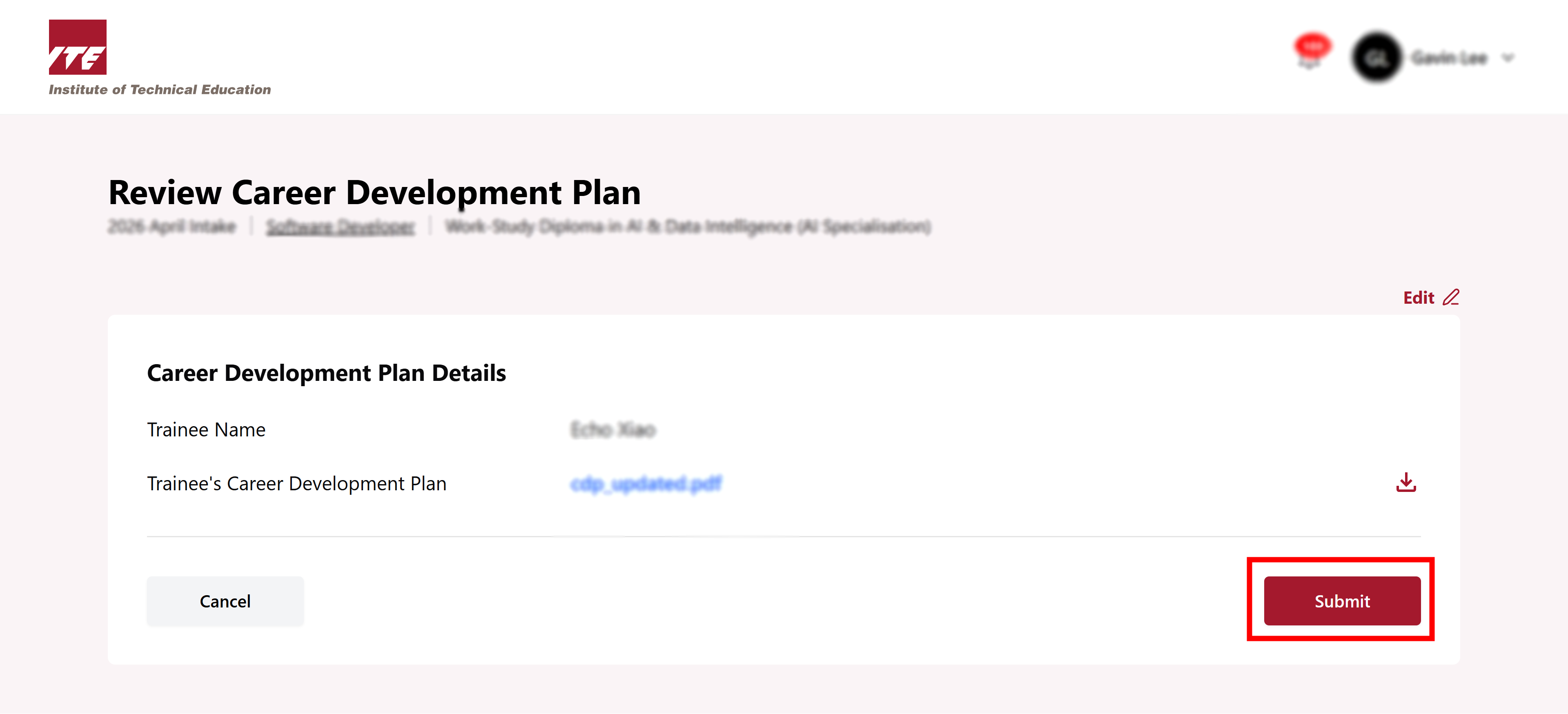
Step 8: Click on “Submit”
Review all information is correct before clicking on Submit.
Step 9: CDP submitted successfully
You can see the successful message pop up in right corner. You have successfully uploaded the Career Development Plan.