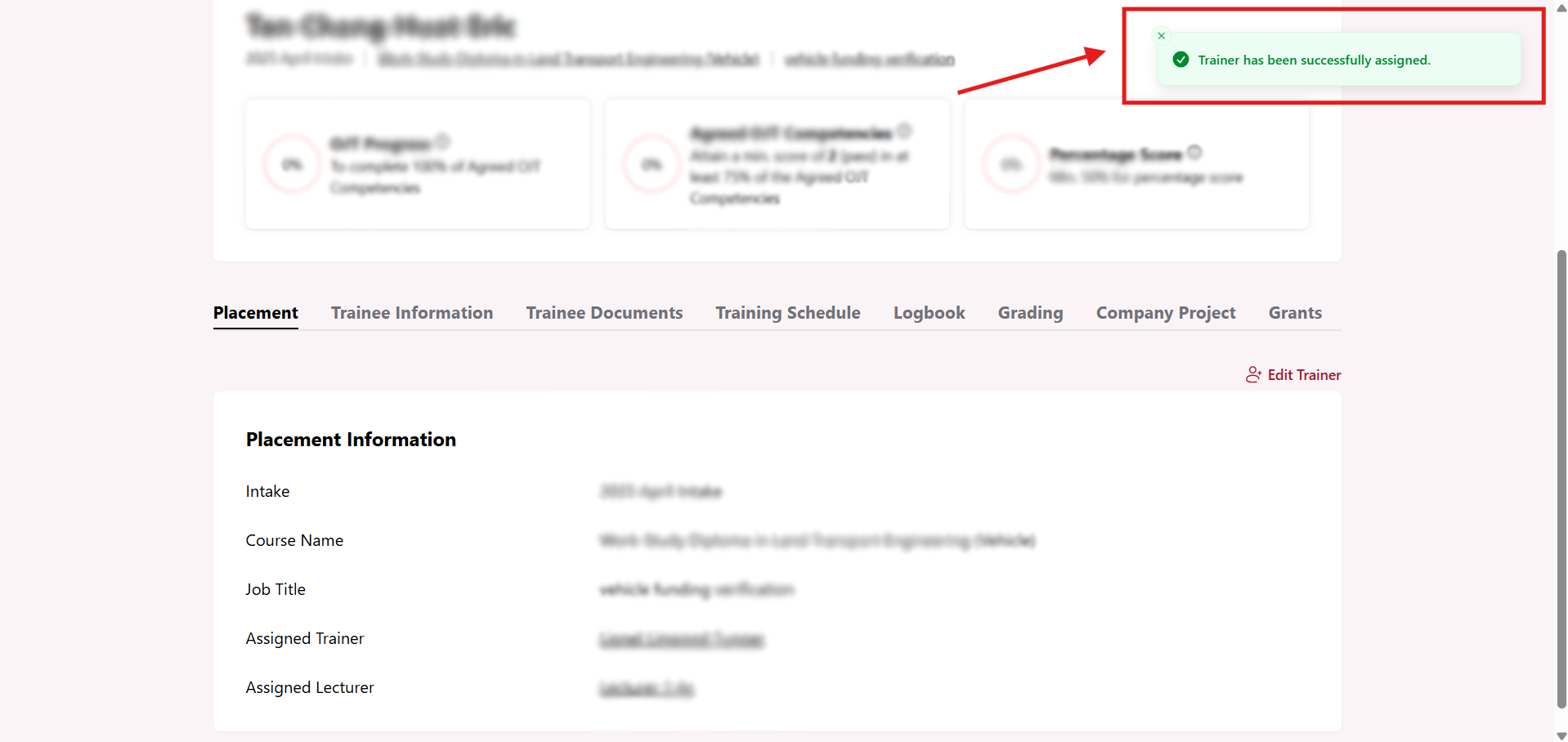
Assign Trainer to Trainee
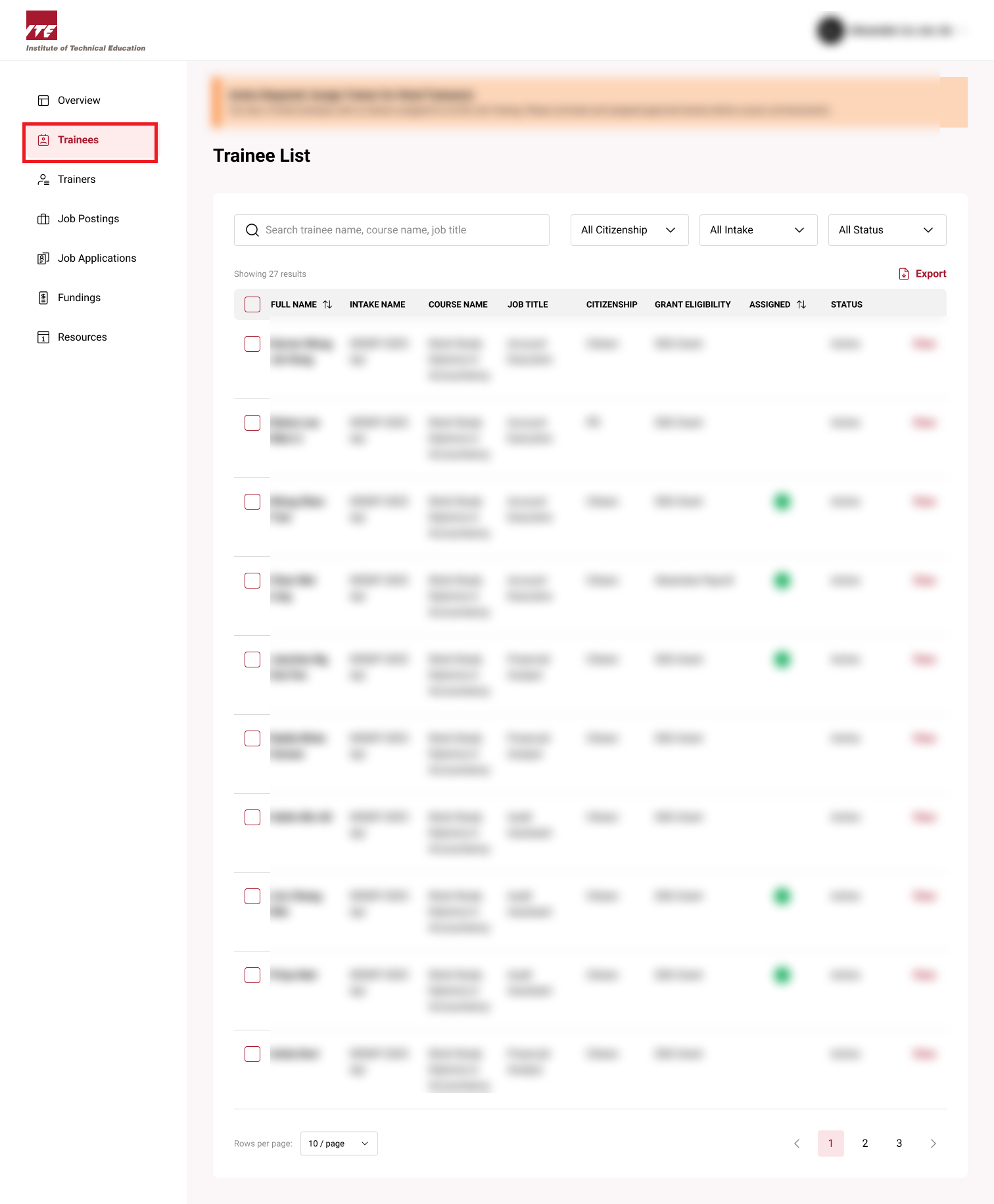
Step 1: Trainee Dashboard
Click on the Trainees to go the Trainee dashboard.
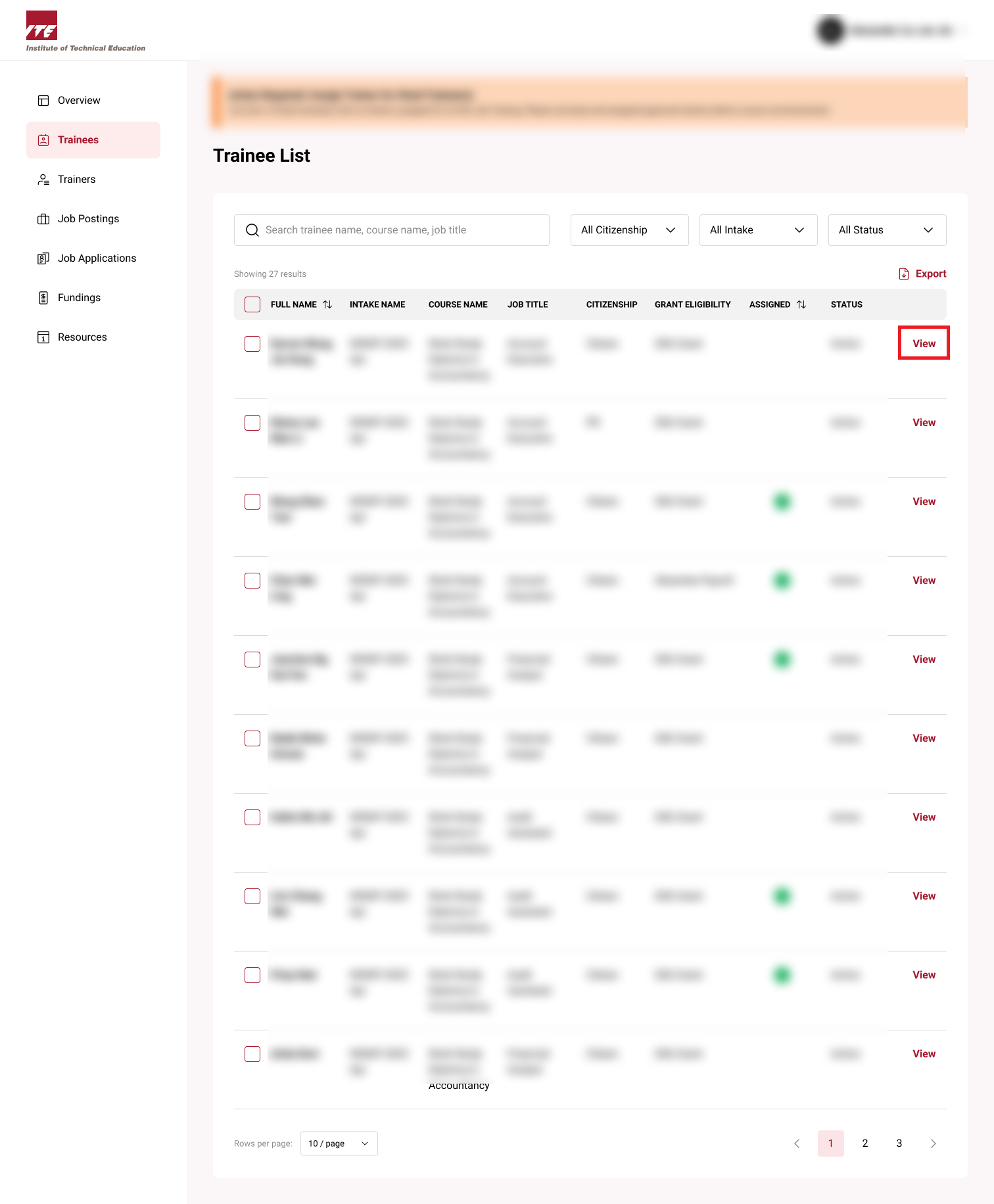
Step 2: View Trainee
Click on View next to the trainee.
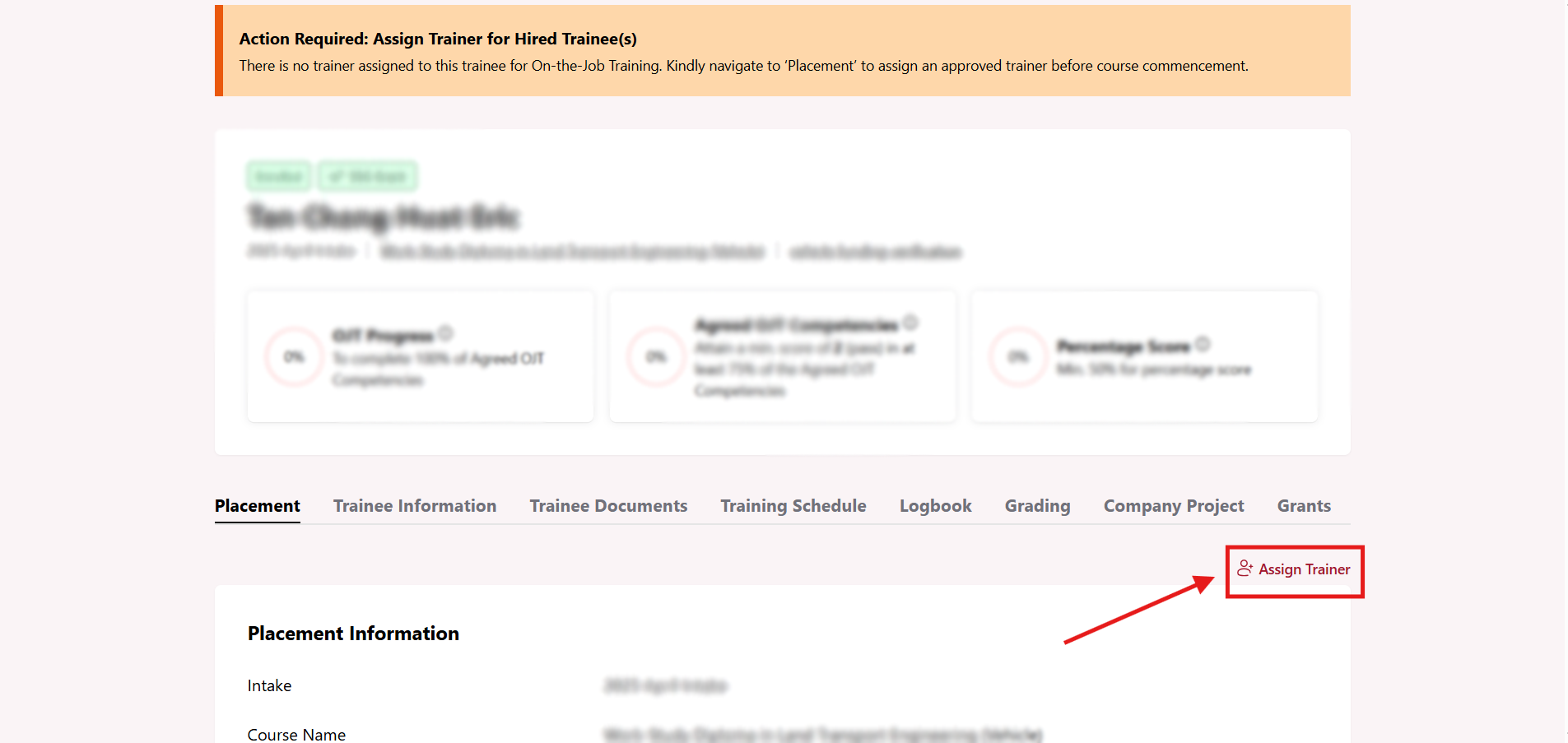
Step 3: Assign Trainer
Click on Assign Trainer button.
Step 4: Select a trainer
Select a trainer that you want to assign to trainee.
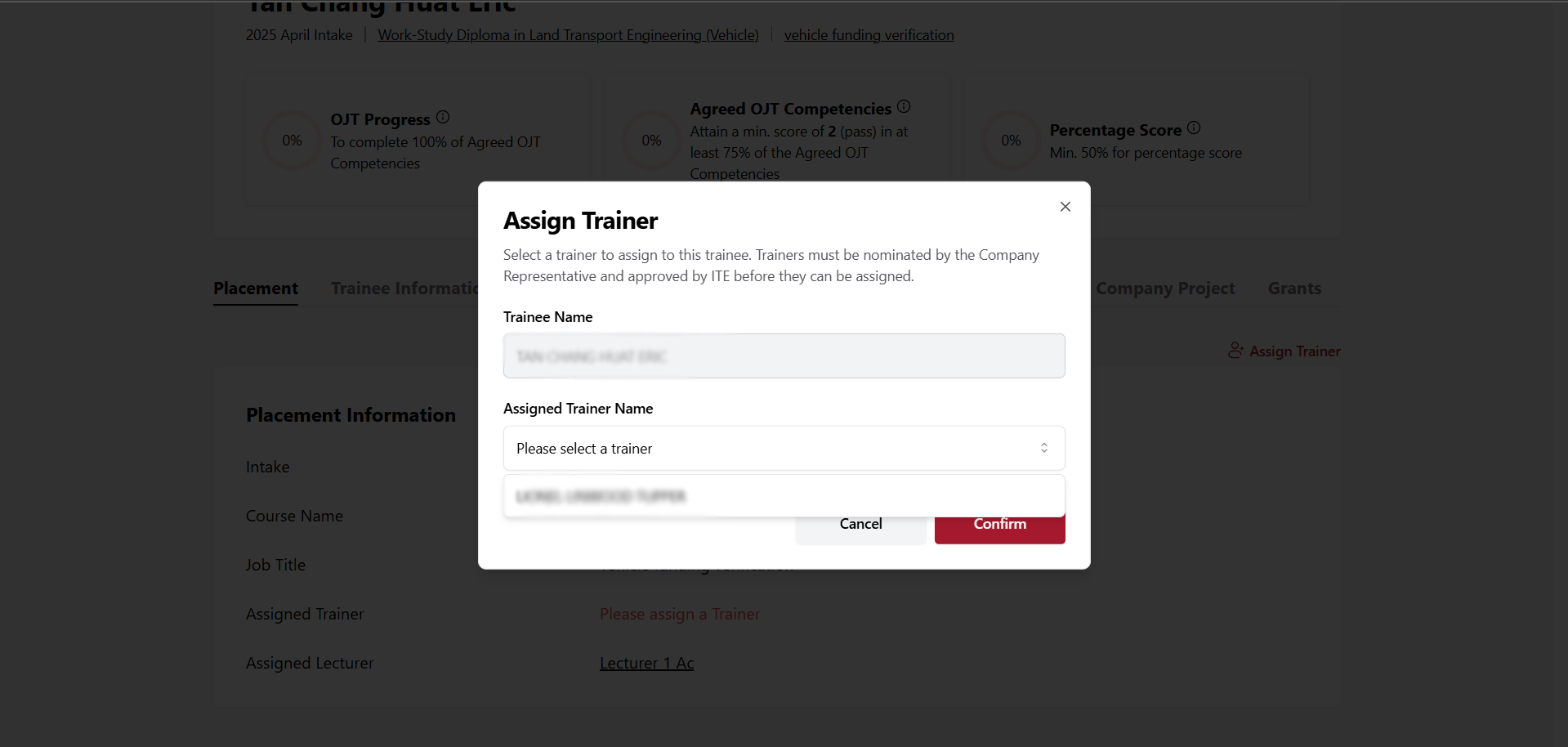
Step 5: Click Confirm
After selecting a trainer from the dropdown list, click Confirm.
Once you click Confirm, you will see a successful message pop up in right corner. You have successfully assigned a trainer to trainee.