Delete Job Post
Deleting a job post allows you to remove Draft job postings that are no longer needed, before they are submitted for approval.
Note: You can only delete Draft Job Posts.
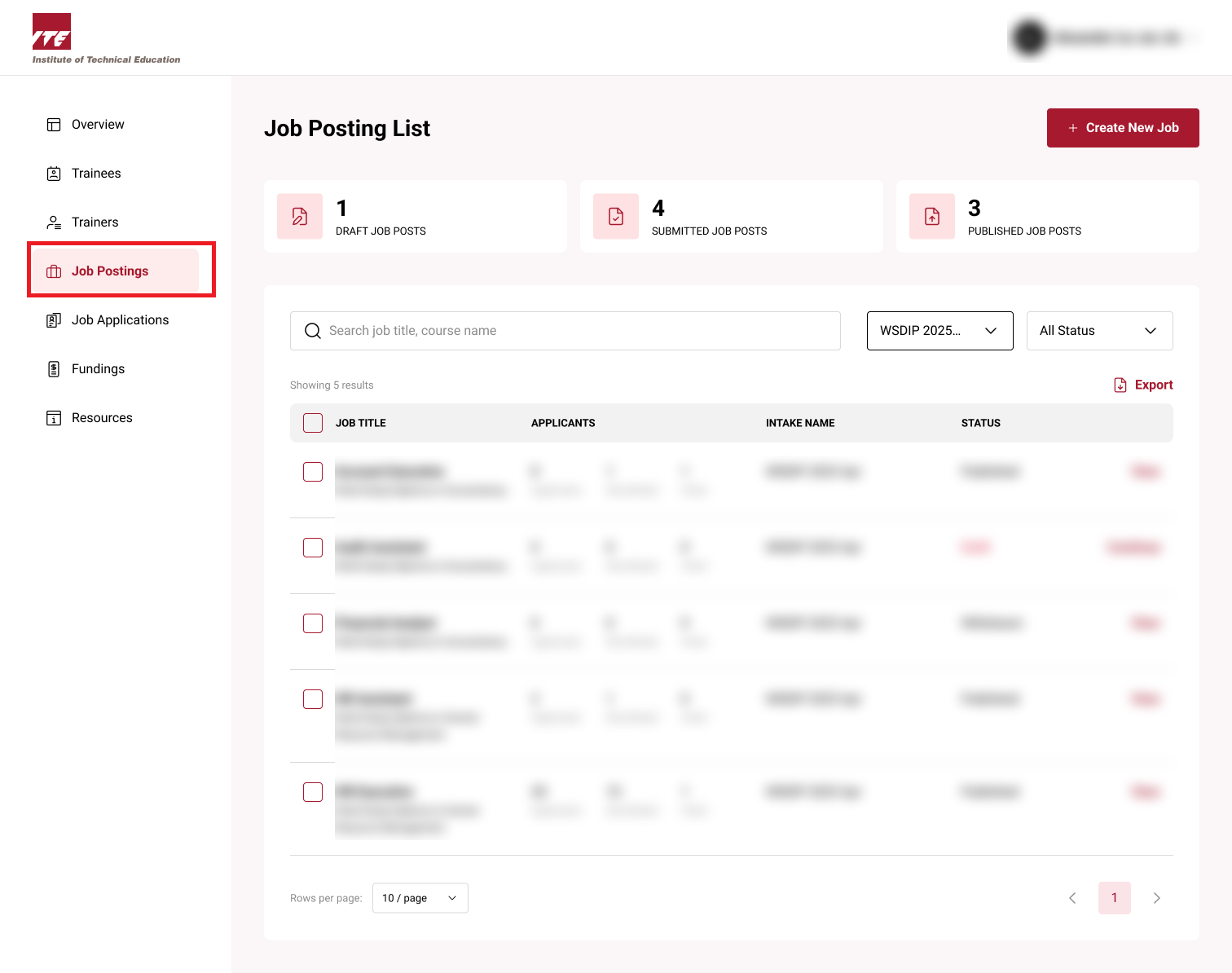
Step 1: Job Posting Dashboard
Click on Job Postings to go to Job Post dashboard.
Step 2: Delete Job Post
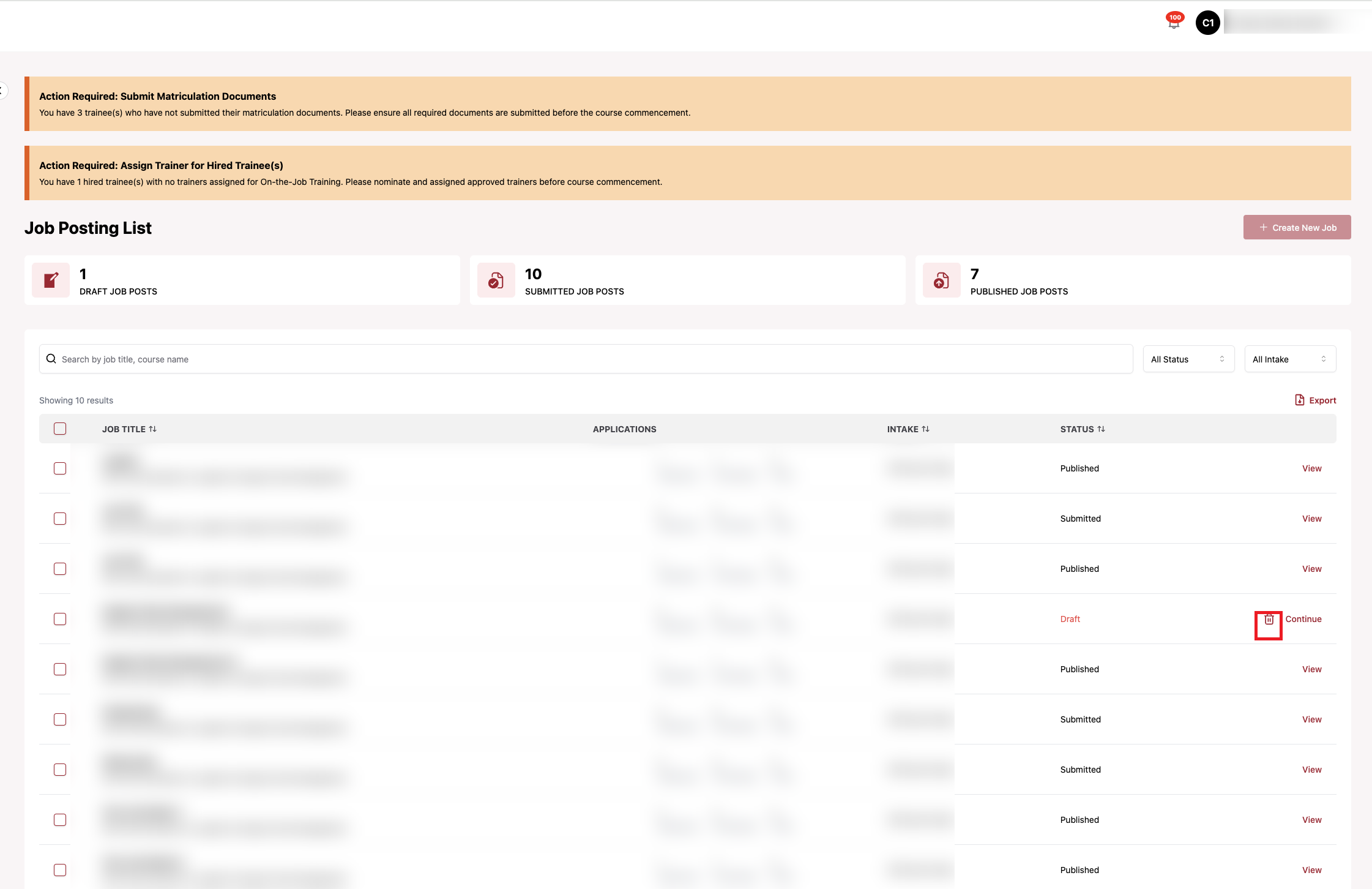
Click the bin icon next to the Draft job post to delete.
Tips
- The delete icon is only available on Draft job posts — Submitted, Published, Withdrawn, No Longer Accepting Applications, and Hiring Completed postings cannot be deleted
- ⚠️ Deleted drafts cannot be recovered — double-check before confirming
- Deleting is a soft delete; the record is retained for audit purposes but no longer visible in either the Company or admin portal
Step 3: Confirm Deletion
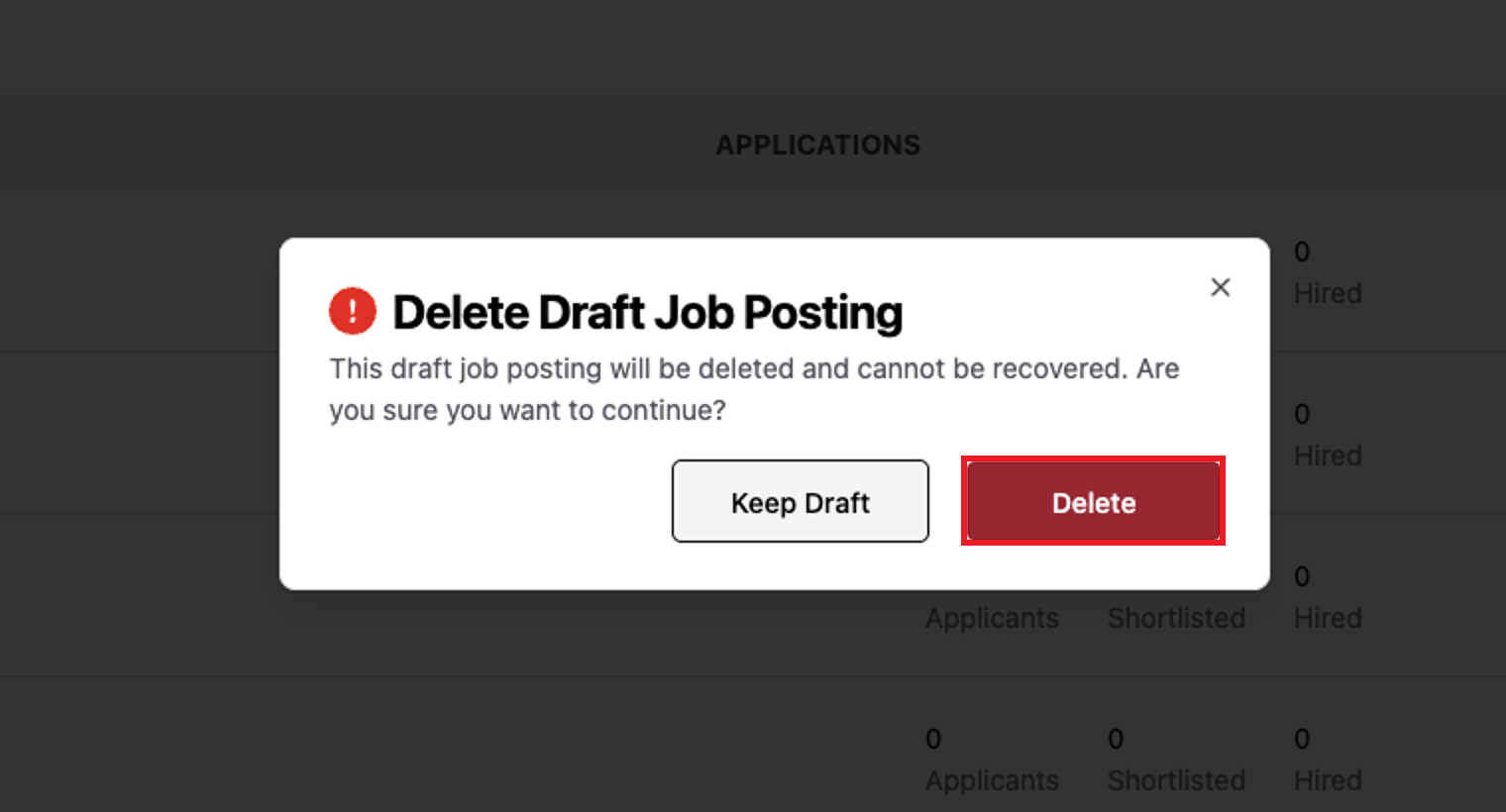
A Delete Draft Job Posting prompt is displayed, warning that the draft will be deleted and cannot be recovered.
Click Delete to confirm, or Keep Draft to cancel.
Step 4: Job Post Deleted
A success message confirms the Job Post Draft has been deleted, and it no longer appears in your Job Postings list.